
FAQ service IT rating
What is IT RATING and who can participate in it?
IT rating is the first multifunctional tool for searching and selecting companies in accordance with various criteria. This project was purposefully created for a potential consumer and companies.
The it-rating.com service is completely free and has unique functionality, thanks to which your stay on this resource will become incredibly convenient and understandable. Any company working in the field of IT technologies can become a user on the service. These companies include the following:
- IT companies
- Web studios
- Design studios
- Copywriting studios
- Digital agencies
- Creative Agencies
- Advertising agencies
- Outsourcing company
- Freelancer
How to register?
1. To register on the service, you must select the "Login / Registration" section ➞ "Register", after which you will be taken to the registration page.
2. On the registration page, you must fill in all the fields that begin with the * symbol. These fields require the following information:
- Type of your company;
- Your company name;
- Company location;
- Email address;
- Password for personal account;
- Terms of use.
3. After completing these requirements, you can start filling out the profile with information about your company.
How to recover an account?
To recover your account, follow the link and follow the instructions.
How to enter your personal account?
In order to get into your profile, you need to select the “Login / Registration” section ➞ “Company name” in the site header or follow this link.
How to go to your profile?
In order to get into your profile, you need to select the “Login / Registration” section ➞ “Company name” in the site header or follow this link.
What should be filled in the profile?
1. Name seo_url - short url address of your page on our service, example: web company = web-kompaniya. By doing this manipulation, you will receive the address of your own page https://it-rating.com/web-kompaniya.
2. Description - this is one of the most important elements when filling out a profile, because. it is important for many users to know with whom they are going to cooperate and what opportunities this company provides.
Why do you need to fill out the services section?
1. By filling in the fields with services and prices, you help a potential client decide on the issue of cooperation with you. This saves you and future customers time.
2. By adding the services and prices provided, you automatically fall under the general filtering in the company catalog, where you can be found when sorting prices in the general catalog.
What is a business directory for??
1. This catalog provides an opportunity to see the full catalog of registered companies, including your own.
2. By default, the directory displays the rating of companies from higher to lower rating and this indicator is updated depending on the addition of new sites to the portfolio of companies.
3. For greater convenience, we have added the main selection criteria: rating, alphabet, reviews, portfolio and additional filters on the left side of the section by which you can find the desired company.
How will companies be sorted??
For greater convenience and the most correct assessment of companies, the possibility of sorting companies according to the most popular indicators was implemented, namely:
- by main rating
- by profile views
- according to portfolio
- by number of reviews
- by number of portfolio
- by average rating of reviews
- according to the general TIC from the portfolio
History and concept of modern case
In the modern world of IT terminology, the word “case” is increasingly used to denote nothing more than screenshots of one’s work in a portfolio, with an inherent brief description of the customer (client) and sometimes the cost of work.
A little earlier this definition had a different character. Namely, it described a specially prepared real business situation, which was intended for a collective or individual search for a solution for learning purposes.
So, it is quite obvious that cases today have become only brief descriptions, which in most cases are useless for learning.
By simplifying the essence of the case to a minimum, many have deprived it of its “usefulness” for readers.
Therefore, follow the minimum rules for writing your cases.
Minimum rules for publishing a case
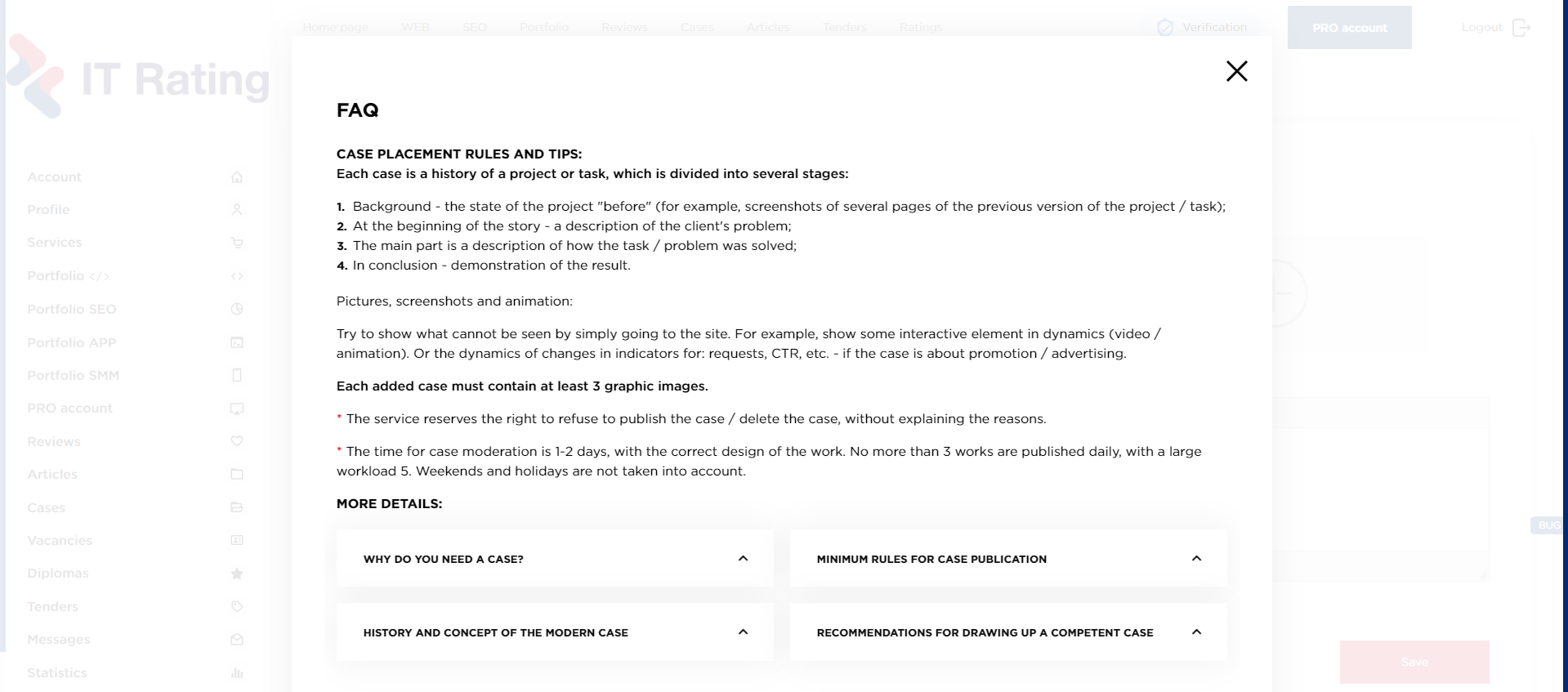
Each case is a story of a project or task, which is divided into several stages:
- Background - the state of the project "before" (for example, screenshots of several pages of the previous version of the project / task);
- At the beginning of the story - a description of the client's problem;
- The main part is a description of how the task/problem was solved;
- In conclusion - a demonstration of the result.
Pictures, screenshots and animation:
Try to show what cannot be seen by simply going to the site. For example, show some interactive element in dynamics (video/animation). Or the dynamics of changes in indicators for: requests, CTR, etc. - if the case is dedicated to promotion/advertising.
Each added case must contain at least 3 graphic images, an SEO case is allowed with 1 image.
Try to show what cannot be seen by simply going to the site. For example, show some interactive element in dynamics (video/animation). Or the dynamics of changes in indicators for: requests, CTR, etc. - if the case is dedicated to promotion/advertising.
Each added case must contain at least 3 graphic images, an SEO case is allowed with 1 image.
Pay attention! The case moderation time is 1-2 days, with the correct design of the work. No more than 3 works are published daily, with a large load 5.
*The service reserves the right to refuse to publish a case/delete a case without giving reasons.
Recommendations for compiling a competent case
1.Define the task of the case. It is best if the task is one, in order to clearly and concisely explain the progress of its solution. Often there are cases where two tasks are set, it all depends on the uniqueness of the project.
2.The case should describe the tasks set earlier. With it, you can talk about the functionality of the site, the intricacies of design, the implementation of new business processes, your "tricks" or interesting facts that arose during the workflow.
3.Your work should be clearly thought out and not devoid of a unit of meaning.
4.roject cost. It's up to you to set the price or not. Often, companies write a price in order not to waste time on insolvent customers, thereby clarifying the approximate amount of that other work.
Why do you need a case?
The first answer is obvious - to persuade a potential client to buy, convincing him of his own professionalism and the presence of a certain experience.
Adding cases serves not only for the overall score on the service, but first of all, so that the company could demonstrate its real work to future customers.
How to add a case?
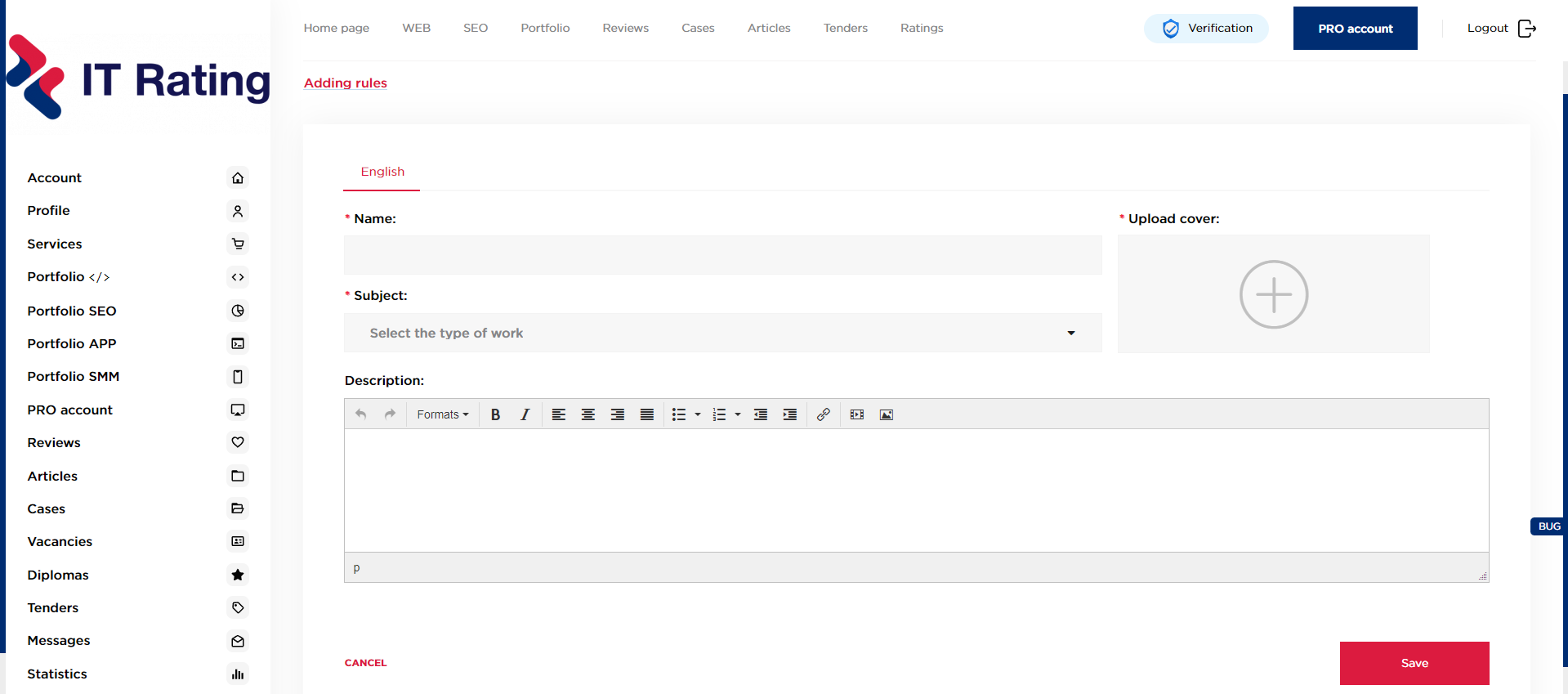
In your personal account in the left menu, select cases, then add a case. Fill in the appropriate fields → save. Before adding a case, pay attention to the rules for placing works.
Portfolio concept?
In the IT industry, a portfolio is a collection of completed work (websites) that can be used to visually demonstrate individual or collective achievements in the field of development.
What is the portfolio section for?
Most customers do not have the slightest idea how to independently create a site, develop its structure or design. Therefore, they often look for specialists for turnkey work. It is difficult for a person who is far from the information technology industry to explain everything in “words”, and the specialized terminology may not be clear to him, and here your portfolio will become your win-win trump card.
The main point of the portfolio is to show each potential client their functionality by their own example. So that in one click the customer can go to the specified web resource and evaluate the work with his own eyes. Assessing how comfortable the usability is, how pleasant and readable the fonts are, how interesting the design is, the client immediately understands what project he would like to implement with your help.
How to add a portfolio?
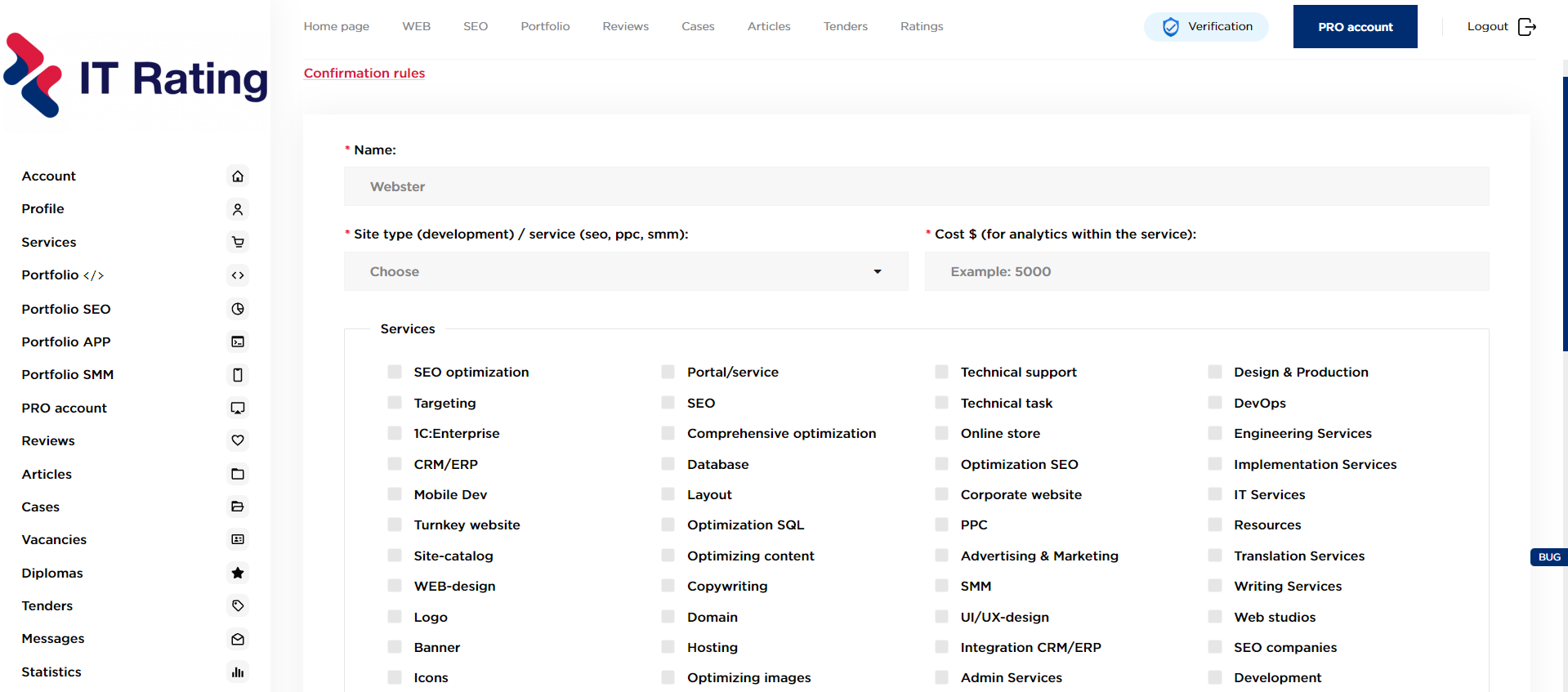
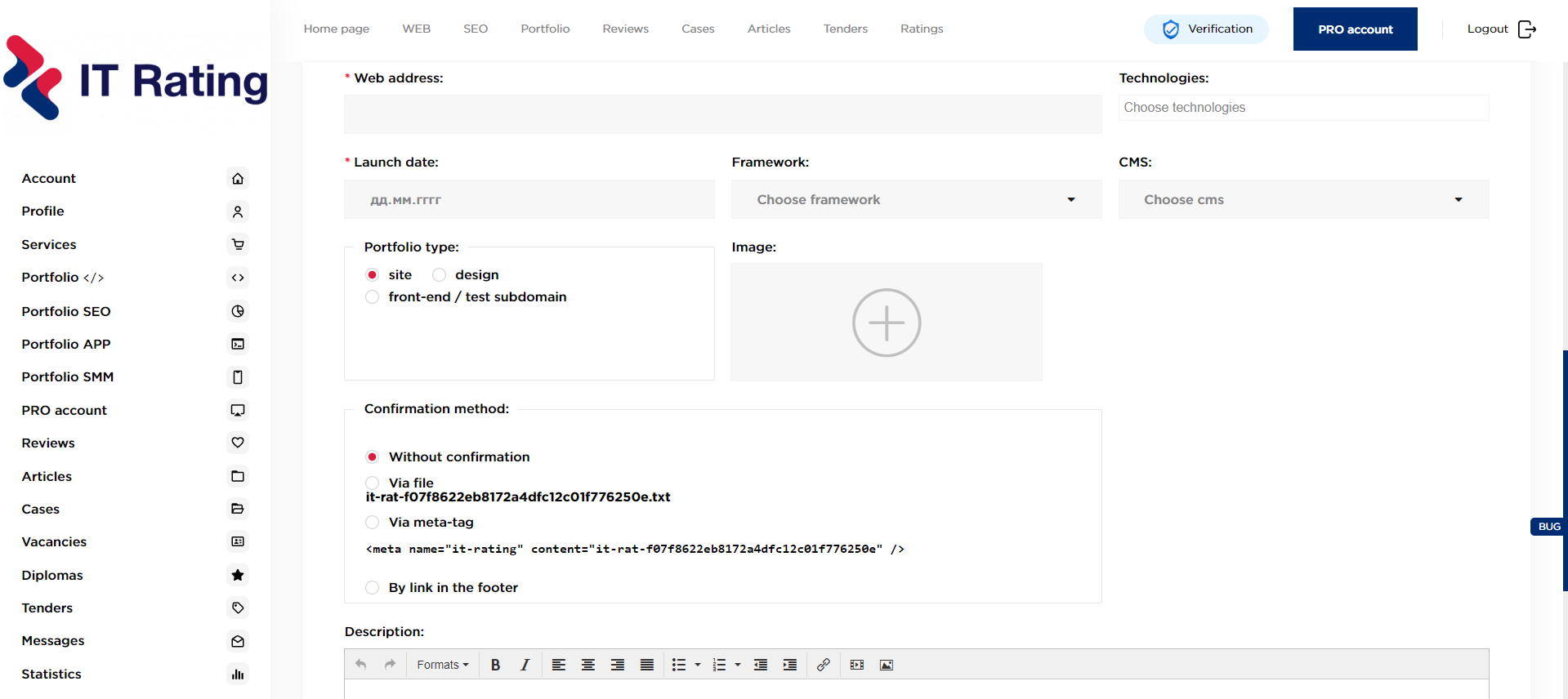
In your personal account in the left menu, select the portfolio section, then add a portfolio. Fill in the required fields and select one of the verification methods.
Three ways to validate a portfolio?
1. With the help of a file*
2. Using the meta tag
3. By the presence of a link in the footer
Instruction:
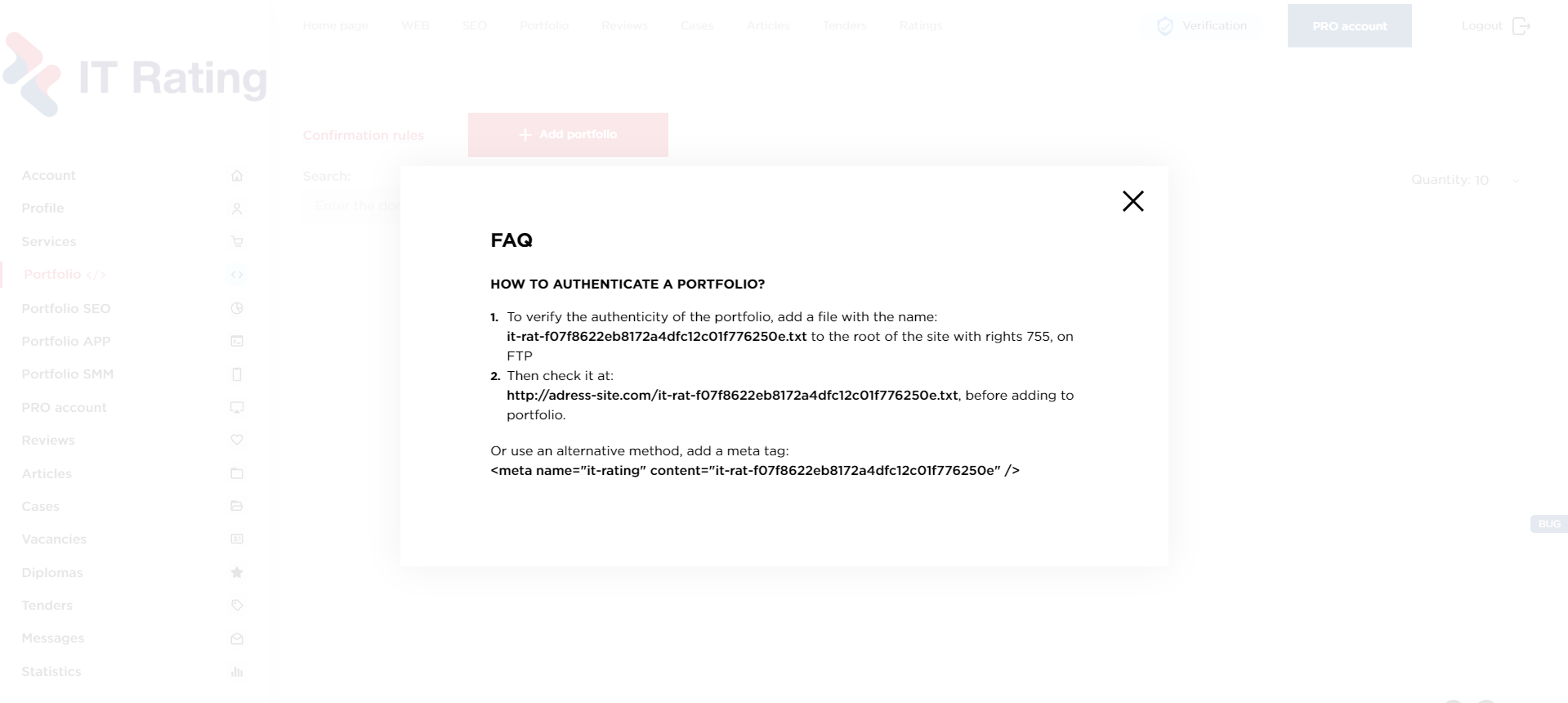
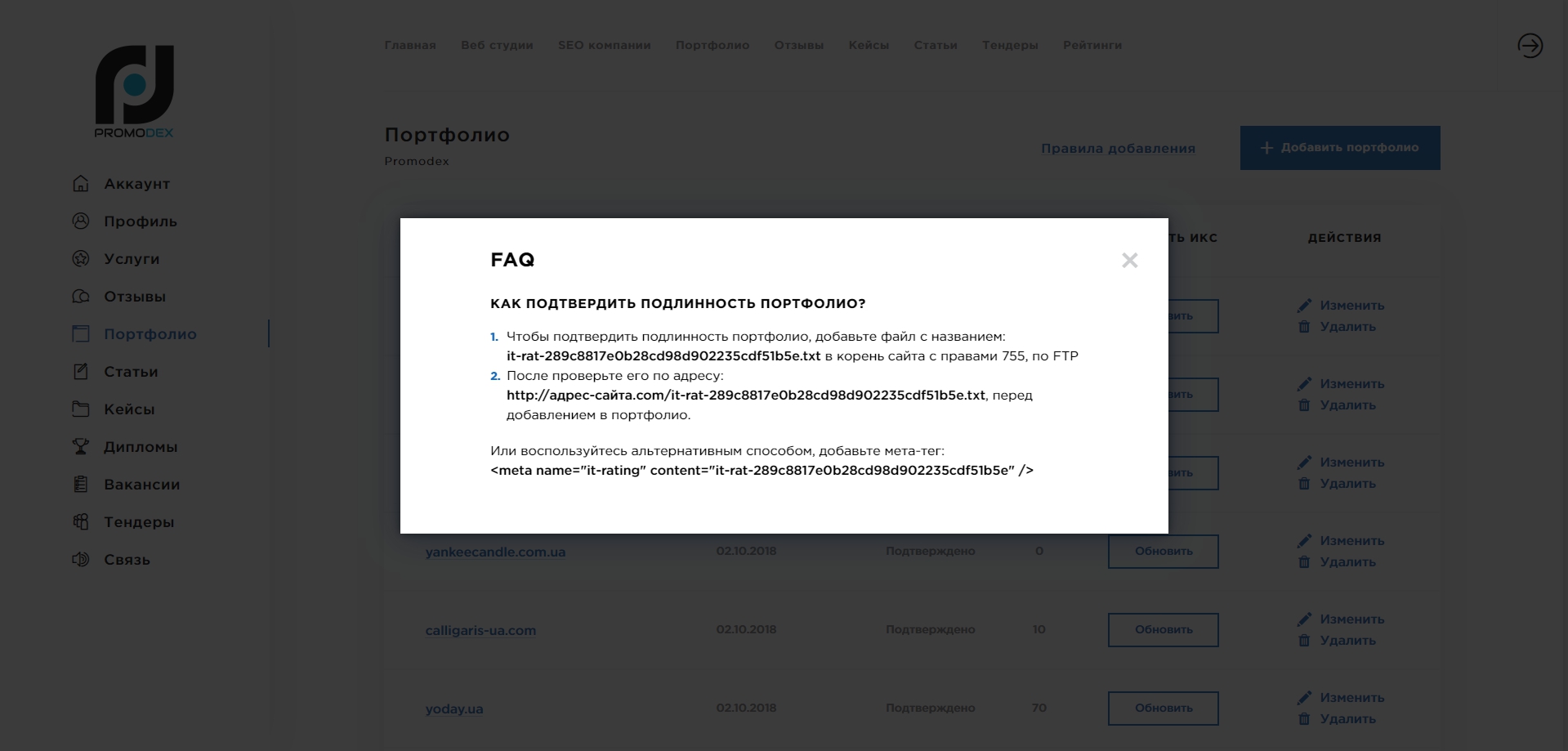
1.1 To authenticate your portfolio, add a file called:
it-rat-dcb80ef2c930352326d90eaf1c03733f.txt to the root of the site with rights 755, via FTP.
Before adding to portfolio, check it at:
https://company.com/it-rat-dcb80ef2c930352326d90eaf1c03733f.txt
https://company.com/it-rat-dcb80ef2c930352326d90eaf1c03733f.txt
1.2 Add a meta tag:
<meta name="it-rating" content="it-rat-dcb80ef2c930352326d90eaf1c03733f"/>
1.3 Footer. At the bottom of the page there should be an active link to the address of your company's website.
* The confirmation file address is generated by a special formula for each company, so it is unique. You will see the exact data in your personal account when adding a portfolio.
* It is forbidden to add domains that are glued to another site.
* It is forbidden to add domains that are glued to another site.
Pay attention! If for some reason you are unable to confirm the portfolio in one of the ways - write to technical support: support@it-rating.com
Other types of portfolio confirmation (documentary confirmation, confirmation via a link in the footer with a different domain ending) are paid. The cost depends on the time that needs to be spent on verification and confirmation = from 35$.
Do not delete the selected verification method on the verified site - because Periodically we will check for confirmation.
How to link Google Analytics to a portfolio project?
In order to connect your Google Analytics account and authenticate website traffic, you need to:
1. Click the “Sign with Google” button next to the desired project
2. Authorize your Google Analytics account* in the window that appears
3. After authorization, site traffic data for the last month will automatically be pulled up
*this account must have a project whose domain matches the domain of the site added to the portfolio and access to it has been granted
Reviews
In the reviews section, you can see the real assessment of the client about working with a particular company. Sometimes it's criticism, sometimes it's praise. If the project was unique, the customer can share the nuances that arose during the work performed. Reviews are an important criterion when choosing a future business partner, representing a kind of "platform" of trust.
How to write a review about a company?
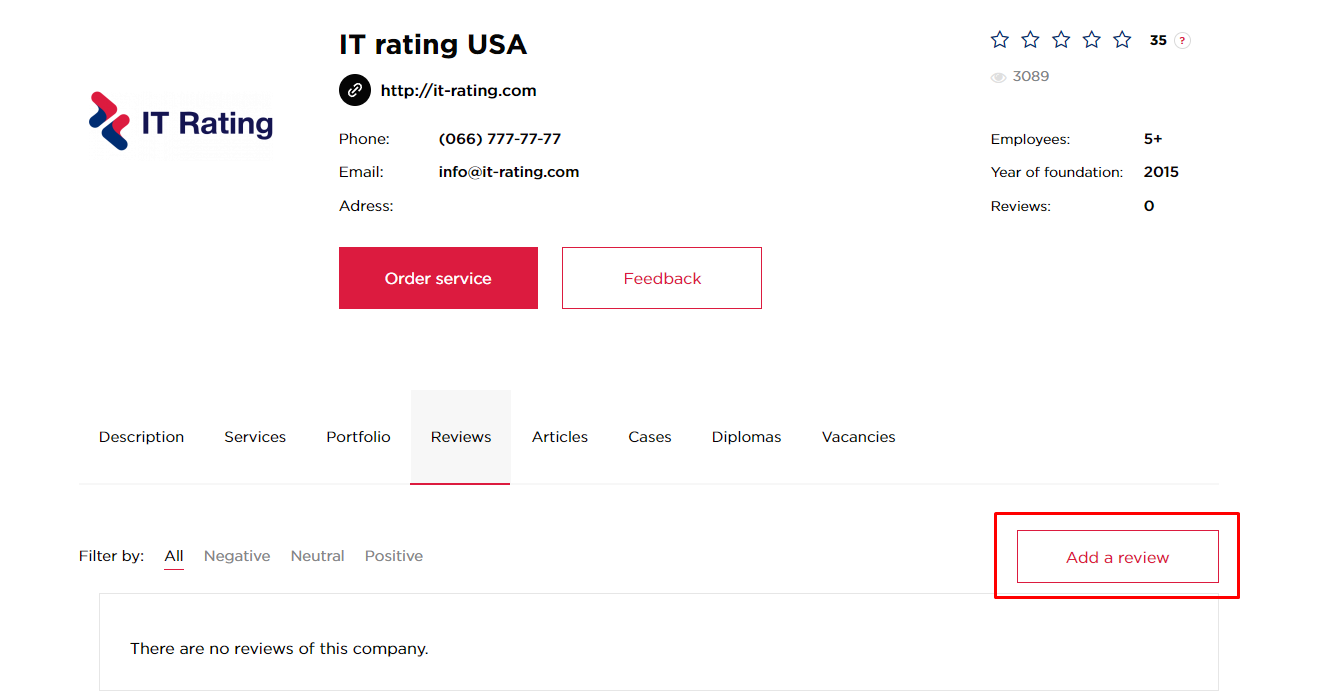
In order to leave feedback about the company that developed the project for you, you must follow these steps:
- Go to the page of the company that developed the project for you
- Select the "Write" option, which is located under the general information about the company
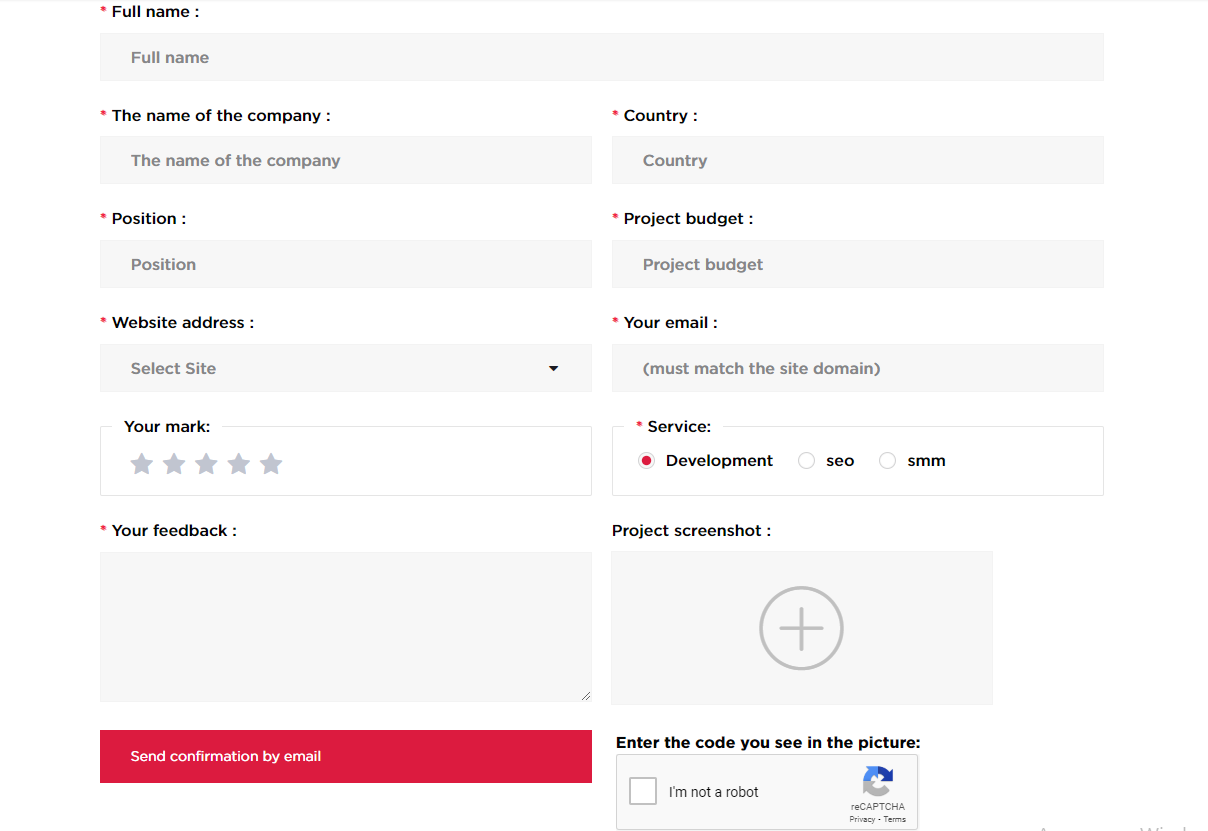
- Specify corporate mail (example: If your site is https://domen.com, mail should end with = @domen.com)
- Enter your name and select your site
- Leave a comment with an assessment of the work
- Enter the captcha and click the "SEND" button
After that, you will receive an email with instructions to confirm the review, and if the text of the review does not contradict the rules of the service, it will be published in the profile of the selected company.
Note: You can only leave a review if your site has been added to the company's portfolio. When adding a review - all fields are required.
How to write a review about a company for an SMM project?
In order to leave a review about a company that conducted SMM work in social networks (Instagram, Facebook), you must perform the following action:
- Unsubscribe to our account @itrating from the page in social networks (Instagram, Facebook) which company carried out SMM work and the review itself.
Verification and publication of the review is carried out within 24 hours * from the moment the request is received.
* Only working days count.
Note: Feedback can only be left if your project has been added to the company's portfolio. When adding a review - all fields are required.
What are articles for?
Each site development does not end with its launch. In order for the site to function successfully, it must be “alive” and interesting, regardless of the subject and purpose.
What is the first thing you can do to attract a potential reader? The answer is obvious - relevant and useful articles. Any Internet resource should be regularly updated with quality materials. Otherwise, the site will slowly fade away, and neither users nor search engines will be interested. Therefore, even those resources that were originally made at the highest level, in the absence of regular updates, gradually lose their significance when issuing, falling lower and lower, and, of course, disappear from the field of view of potential customers.
The update implies the addition of new thematic articles and sections, the replacement of texts on the main pages.
If there is a problem of choosing a news topic, then you can not limit yourself here. You can safely write an article about working with a complex but incredibly interesting project, about your "branded" achievements, about industry news. Do not forget that all news, without exception, must be relevant and unique, otherwise there will be no benefit from them.
How to add an article to the service?
- Log in to your personal account
- Select from the left menu «Articles»
- Click Add Article
- Check out the placement rules
- Fill in the required fields
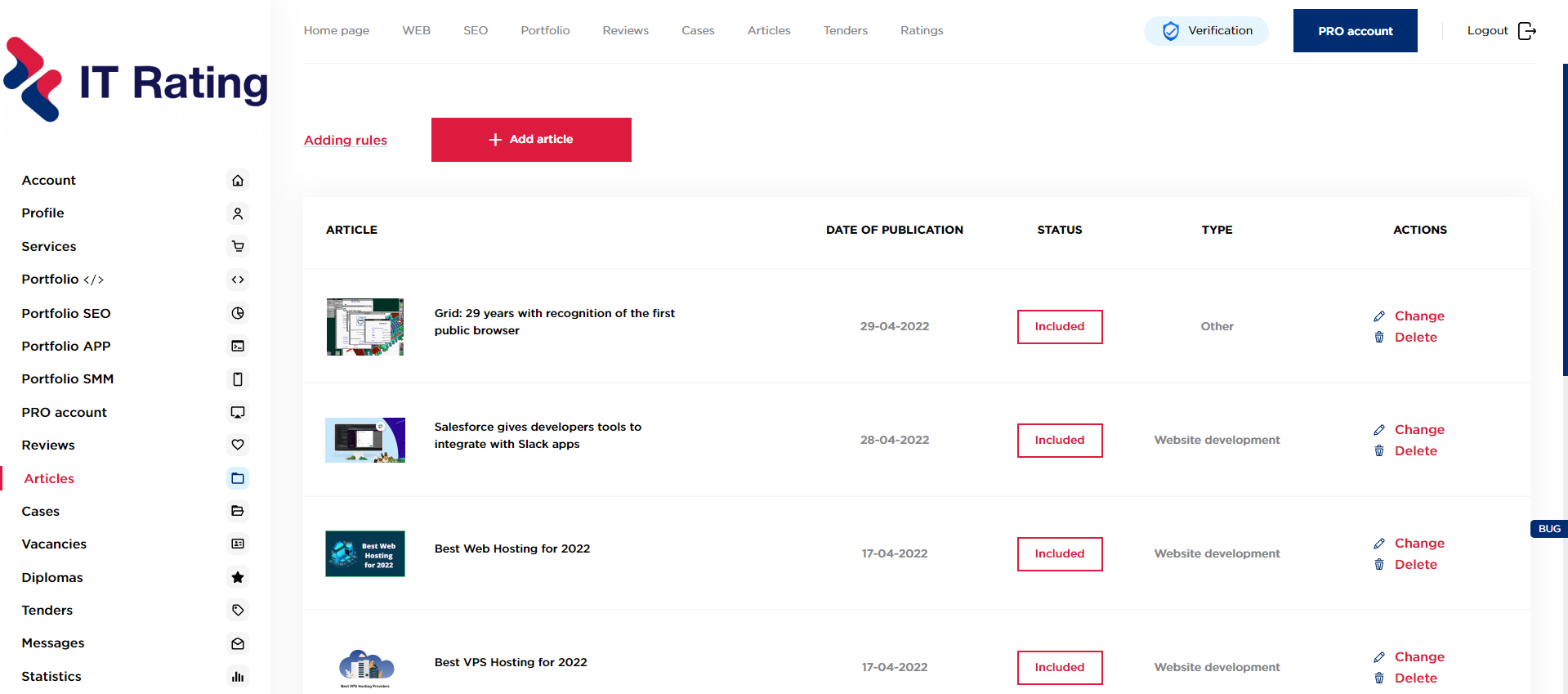
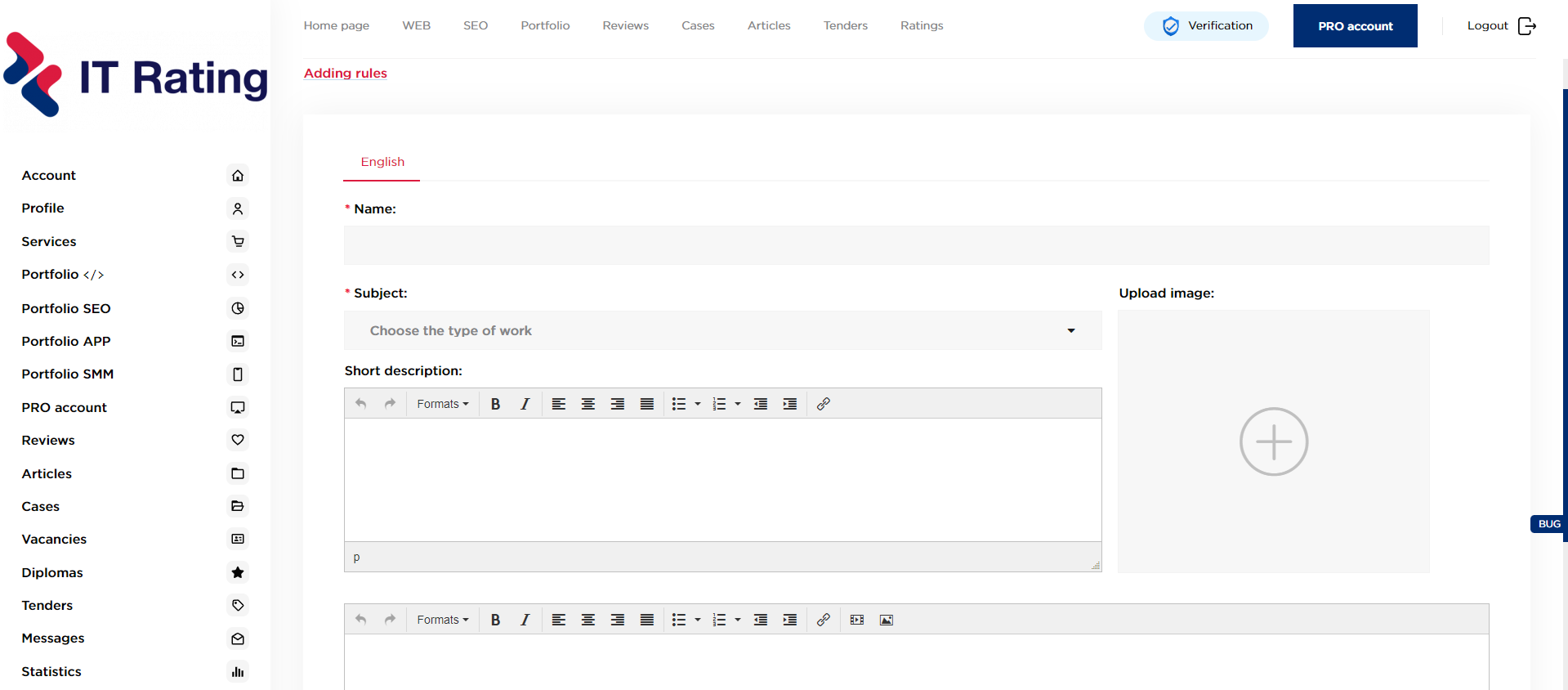
Articles must contain information that may be of interest to the target audience of the service, correspond to the title of the section to which the article refers, and not be of an advertising nature.
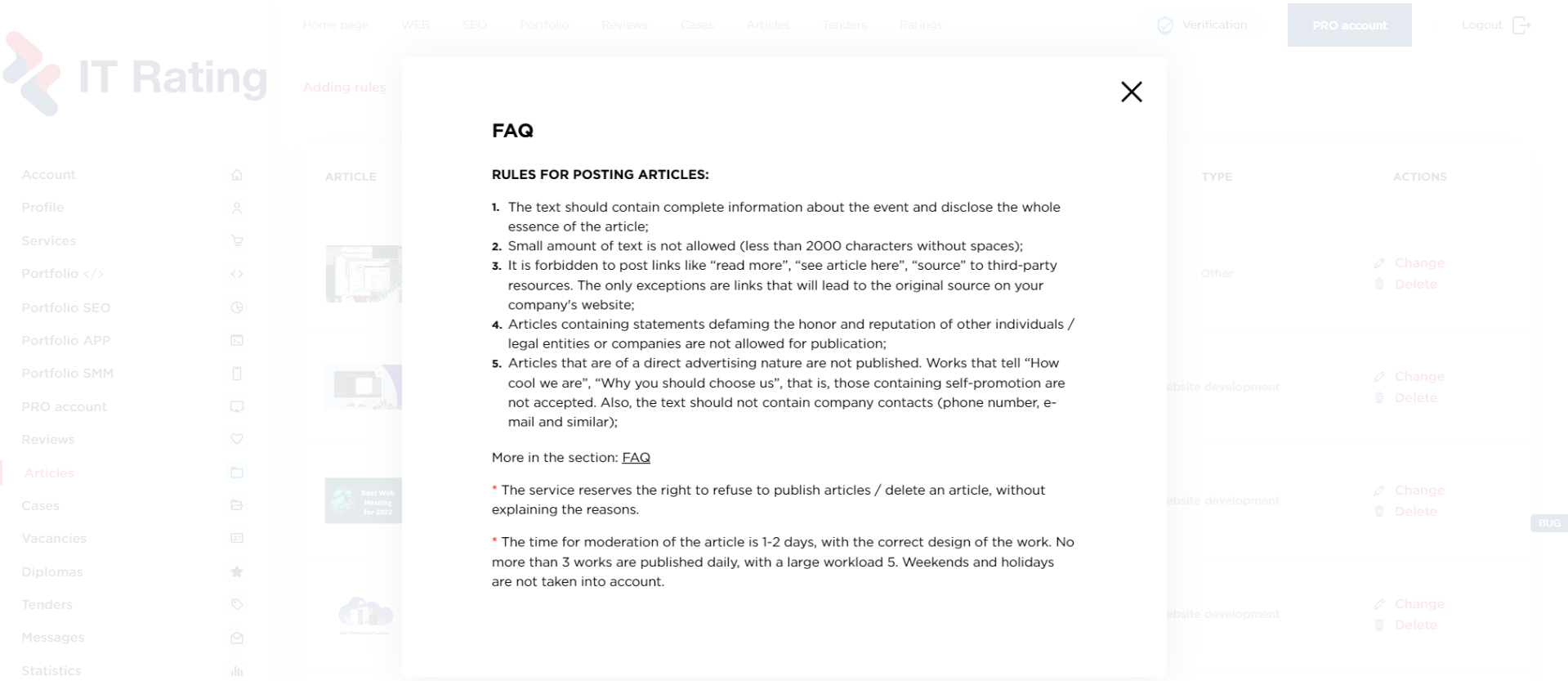
Rules for posting articles?
1. In the text, there should be full information about the event and the whole essence of the article is disclosed;
2. A small amount of text is not allowed (less than 2000 characters b.p.);
3. It is forbidden to post links like "read more", "see article here", "source" to third-party resources. The exception is links that will lead to the original source on your company's website;
4. Articles containing statements discrediting the honor and reputation of other individuals / legal entities or companies are not allowed for publication;
5. Articles that are directly advertising in nature are not published. Works that tell "How cool we are", "Why you should choose us", that is, containing self-promotion are not accepted. Also, the text should not contain company contacts (phone number, e-mail, etc.);
6. The text of works borrowed from other authors is plagiarism, and will also not be published on the service.
Please note!The article moderation time is 1-2 days, with the correct design of the work. No more than 3 works are published daily, with a large load 5.
*The service reserves the right to refuse to publish articles / delete the article, without giving reasons.
Section TENDERS
A tender is usually called a competition where several companies compete for the right to produce work or provide services.
Using this section, service users can create and participate in tenders. An important advantage for customers of services is the right to issue a tender even without prior registration. To create a tender, you must provide basic information about yourself, the type of project and an indicative budget. In addition, it is possible to send an invitation to companies that are registered on the service. The organization of a tender will significantly help to reduce the time to find the right partner, and it will also be appropriate to save your savings.
The benefits of this competition are:
1.Time saving
(With the help of a tender, companies themselves offer you their services)
(With the help of a tender, companies themselves offer you their services)
2.Savings money
(You can immediately specify the estimated budget so that companies can navigate according to their needs)
(You can immediately specify the estimated budget so that companies can navigate according to their needs)
3.Closed tender
(The customer himself chooses the companies that can participate in the future competition)
The created tender will appear in the relevant section immediately after checking the data that were specified when submitting the application.
Anyone can view the tender and basic information. Personal information will be hidden for service guests and will be available only for IT rating participants.
All web studios and SEO companies that have successfully registered on the IT rating service can take part in the tender.
How to organize a tender?
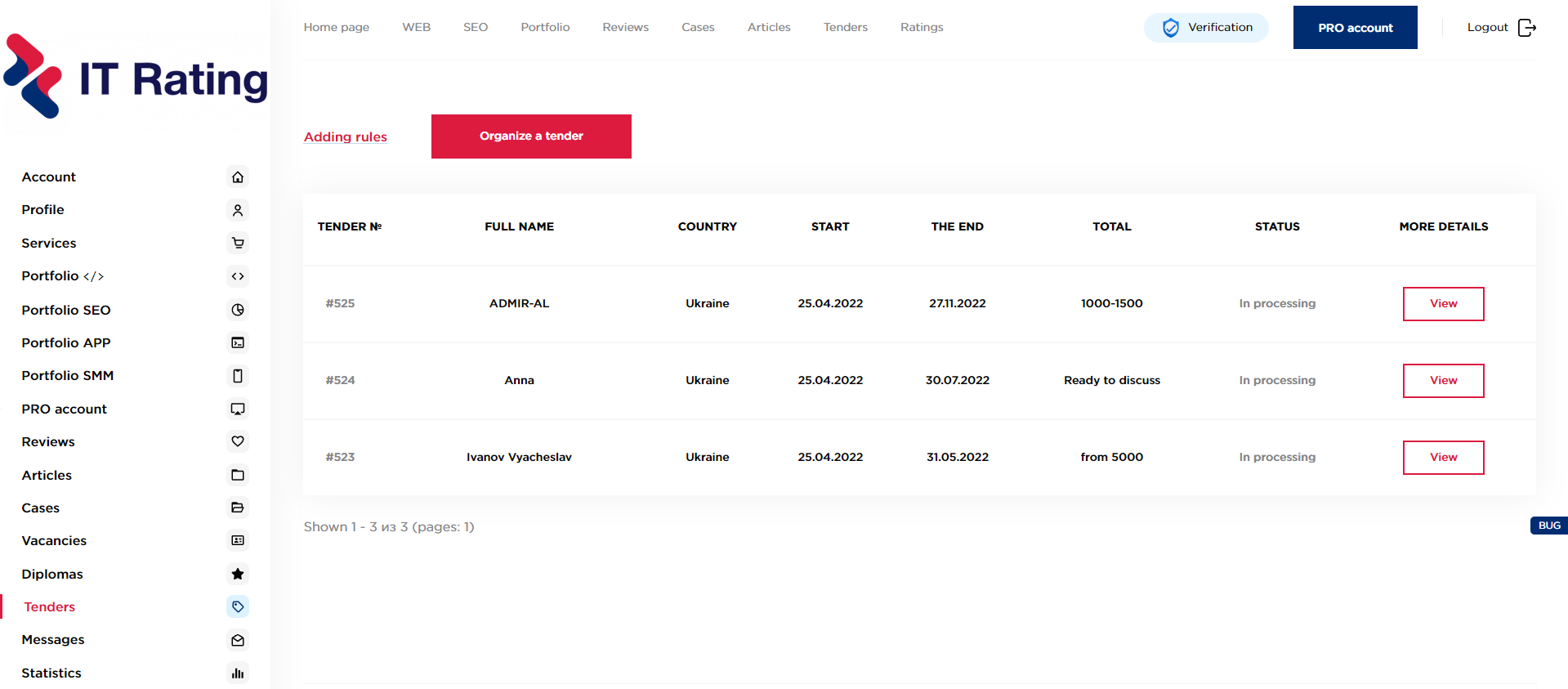
Select the type of service, click the organize tender button and proceed to fill in the information on the tender and contacts.
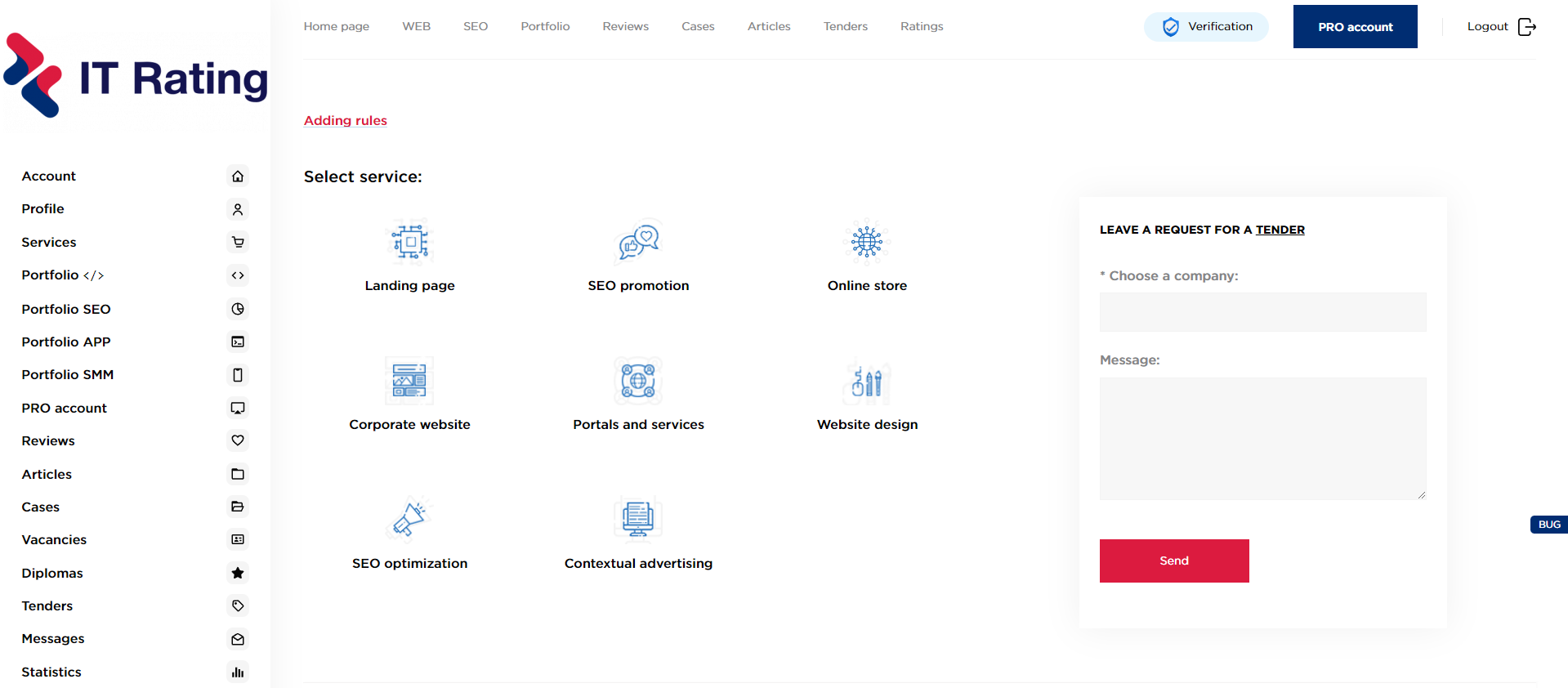
Where can I create a tender?
There are 2 ways to create a tender:
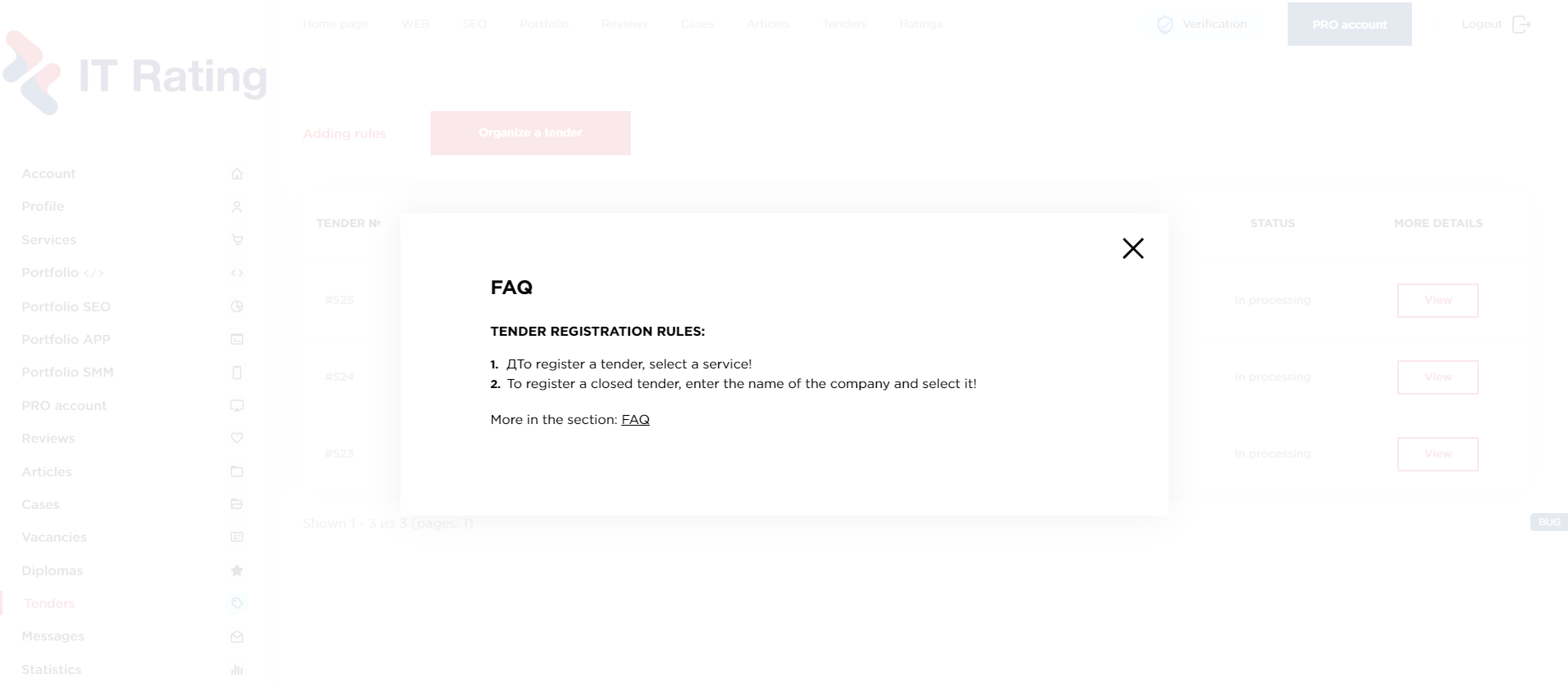
1. A tender can be created on the page «TENDERS», selecting the project type and clicking the button «Organize a tender».
2. A tender can be created on the page с company directory, by selecting the type of project, as well as the companies to which you want to send an invitation to participate in the tender and then click the button «Organize a tender».
How long is the tender published?
After the tender is issued, it undergoes moderation (from 2 to 24 hours) on the service. After verification by the moderator - your tender will be published.
When to wait for bids?
After the publication of the tender (2-24 hours) - we immediately send your tender to suitable companies or those that you have chosen. The first proposals for the tender can be received - in a couple of hours, after publication.
Confidentiality
Your contact details - only companies that: have an active PRO account.
Why can't I see tender contacts?
Contact details, full name and budget - available to bidders or companies with an active PRO account, if the tender without participants. There are also closed tenders that are visible only to the studios selected by the client.
Don't forget to login to your account.
Terms of publication and review of content
Draw your attention to:
The total score is updated once a day!
The case moderation time is 1-2 days, with the correct design of the work. No more than 3 works are published daily, with a large load 5.
Portfolio moderation time for the footer occurs within 1-2 days.
The article moderation time is 1-2 days, with the correct design of the work. No more than 3 works are published daily, with a large load 5.
(Weekends and holidays are not counted)
If you did not find your answer to your question, please contact service support for link or write to us at email: support@it-rating.com
Information