
Color palette is on the website. How to choose the right one
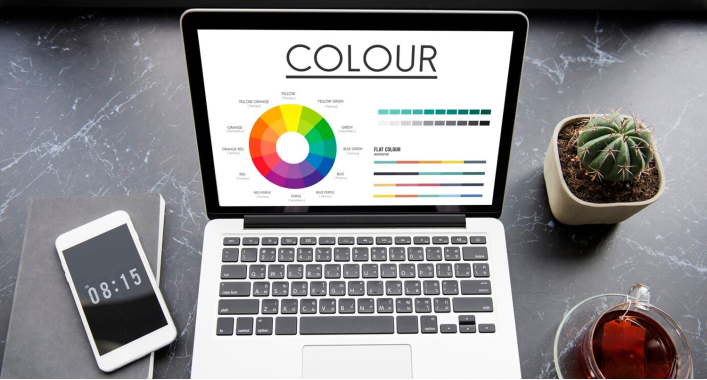
Choosing a color palette for a website is an important step in the design process. Colors can affect the impression of the site, its readability, atmosphere, and interaction with visitors. The color of a website is an important element of its design, which can even affect conversion. When choosing a website color, you should consider several factors, including
Target audience. Color can evoke different emotions in different people. For example, red is often associated with love, passion, and anxiety. Therefore, if your website is targeted at a young audience, red can be a good choice. And if you want to create a sense of calmness and trust, it is better to choose more neutral colors, such as blue or green.
Match the brand. The colors of your website should match the colors of your brand. This will help create a unified image and make your site memorable.
Readability. The color of the text should contrast with the background color to make it easy to read.
Compliance with the design. Website colors should be harmoniously combined with each other.

Here are some tips for choosing a website color:
- Start with a neutral background. Neutral colors such as white, gray, or beige are a good choice for a background because they provide good contrast for the text.
- Use a few colors. Too many colors can be irritating to the eyes. Choose no more than three main colors for your website.
- Use colors according to their purpose. For example, red can be used to emphasize important information, and blue can be used to create a sense of calm.
- If you are not sure what color to choose for your website, you can use online color generators. These tools allow you to create color palettes that harmonize with each other.
What do different colors mean in design
Colors on a website can have different meanings depending on how they are used. Here are some common meanings of colors that can be used on websites:
Red is the color of energy, passion, and anxiety. It can be used to emphasize important information or to create a sense of celebration.
Blue is the color of calm, trust, and security. It is often used for websites that are related to business or finance.
Green is the color of nature, health, and freshness. It is often used for websites that are related to the environment or health.
Yellow is the color of joy, optimism, and attention. It is often used for websites that are related to sales or advertising.
Purple is the color of creativity, luxury, and mystery. It is often used for websites that are related to art, fashion, or technology.
Besides, colors can be used to create a certain emotional effect. For example, red can be used to create a sense of extreme or danger, and blue can be used to create a sense of calm or relaxation.
When choosing colors for your website, it is important to take into account the target audience and the purpose of the site. For example, if you want to create a website that will be attractive to young people, you can use bright colors such as red, yellow, or blue. If you want to create a website that will inspire trust, you can use more neutral colors such as blue, green, or gray.
Here are some tips for using colors on websites:
- Don't use too many colors. Too many colors can be irritating to the eye. Choose no more than three main colors for your site.
- Use contrasting colors for text and background. This will help to make the text easy to read.
- Use colors according to their purpose. For example, red can be used to emphasize important information, and blue can be used to create a sense of calm.
- Using colors on websites can be a powerful tool for creating an emotional impact and achieving your goals.




It's free and takes 2 minutes. There are 1500+ digital agencies in the catalog that are ready to help in the implementation of your tasks. Choose and save up to 30% on time and budget!