
Favicon - Elevating Your Website with a Small But Mighty Label
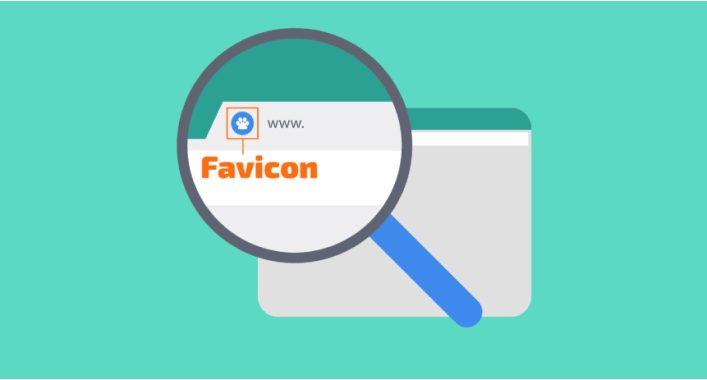
In the vast world of web design and user experience, every detail matters. One such element that often goes unnoticed but plays a significant role in branding, recognition, and overall aesthetics is the favicon. This small yet mighty label occupies a tiny space on your website browser tab but holds immense potential to make an impact.
In this comprehensive article, we will dive deep into the fascinating world of favicons – what they are, their purpose, importance, how to create one efficiently, and everything else you need to know about these little icons that pack a punch.
What Exactly Is a Favicon?
A favicon (short for favorite icon) is essentially a small image or logo that appears in the tab or title bar of a web browser when someone visits your website. It serves as an identifier for your site among other open tabs and bookmarks on both desktops and mobile devices. Favicons typically measure 16x16 pixels or 32x32 pixels in size.
The Purpose and Importance of Favicons
Favicons serve numerous purposes for websites beyond being visually appealing. Let's explore some key reasons why investing time in creating an attention-grabbing favicon is vital:
Branding Identity:
- A well-designed favicon helps reinforce brand identity by displaying consistent visuals across multiple platforms.
- By incorporating company logos or unique graphics into the favicon, it becomes instantly recognizable to visitors even in crowded browsing environments.
Enhanced User Experience:
- Favicons improve user experience by making it easier to navigate through different browser tabs containing multiple websites.
- Users can quickly identify your website at a glance due to its distinctive iconography.
SEO-friendly:
- Having unique favicons contributes positively towards SEO efforts.
- Some search engines may display these icons next to individual search results, helping your website stand out and potentially increasing click-through rates.
How to Create a Captivating Favicon
Now that we understand the significance of favicons, let's explore the process of creating one. Below are several methods you can use:
Use Online Favicon Generators:
- Websites like favicon.io or realfavicongenerator.net offer user-friendly interfaces for creating custom favicons.
- You can upload an existing image/logo, select desired dimensions, tweak settings as per your preference, and generate favicon files compatible with various browsers.
Design Your Favicon Using Graphic Design Software:
- If you possess graphic design skills or prefer greater control over the design process, tools like Adobe Photoshop or Illustrator are ideal for crafting unique favicons.
- Remember to restrict dimensions to 16x16 pixels (or 32x32) and export the final result in appropriate formats like .ico or .png.
Use Favicons from a Library:
- Another option is using pre-made icon libraries offering various styles suitable for different themes, industries, or purposes. Some popular libraries include FontAwesome and Flaticon.
In conclusion, while favicons may seem like minuscule design elements compared to other web components, they play an integral role in brand recognition and user experience. These tiny icons create lasting impressions by forming a visual connection between users and your website.
By investing time and effort into creating an eye-catching favicon that reflects your brand identity, you strengthen your online presence and make it easier for visitors to navigate through their browsing journey. So don't underestimate the power of this small label - let it be a shining beacon amidst numerous browser tabs!



It's free and takes 2 minutes. There are 1500+ digital agencies in the catalog that are ready to help in the implementation of your tasks. Choose and save up to 30% on time and budget!