
How do we got 200 clients in 4 months: the case of automated mailings on LinkedIn

What you need to know about LinkedIn
To prove the relevance of LinkedIn for business, here are just a few statistics:
- The social network has more than 774 million users.
- LinkedIn covers about 150 business sectors.
- The service works in 200 countries of the world.
LinkedIn is most popular in the USA and Europe. Currently, about 80% of companies use this social network to find personnel or partners. And you can be sure: even if you do not actively maintain a page on LinkedIn, your potential Western client or partner will definitely get acquainted with it.
You should definitely not underestimate LinkedIn in the context of business promotion!
How do we automated mailings on LinkedIn and got great results
So, next we will tell you how we worked and how we managed to achieve really good results in a relatively short time and without significant financial costs. You can either repeat our path or adjust it to your own needs - as you wish.
Step 1. LinkedIn Sales Navigator
LinkedIn Sales Navigator is the premium version of LinkedIn with the ability to parse audiences and chat with all users. It costs €80 per month, but there is a free 30-day demo.
One of the main advantages of LinkedIn Sales Navigator is the ability to easily and conveniently filter users and segment mailings.
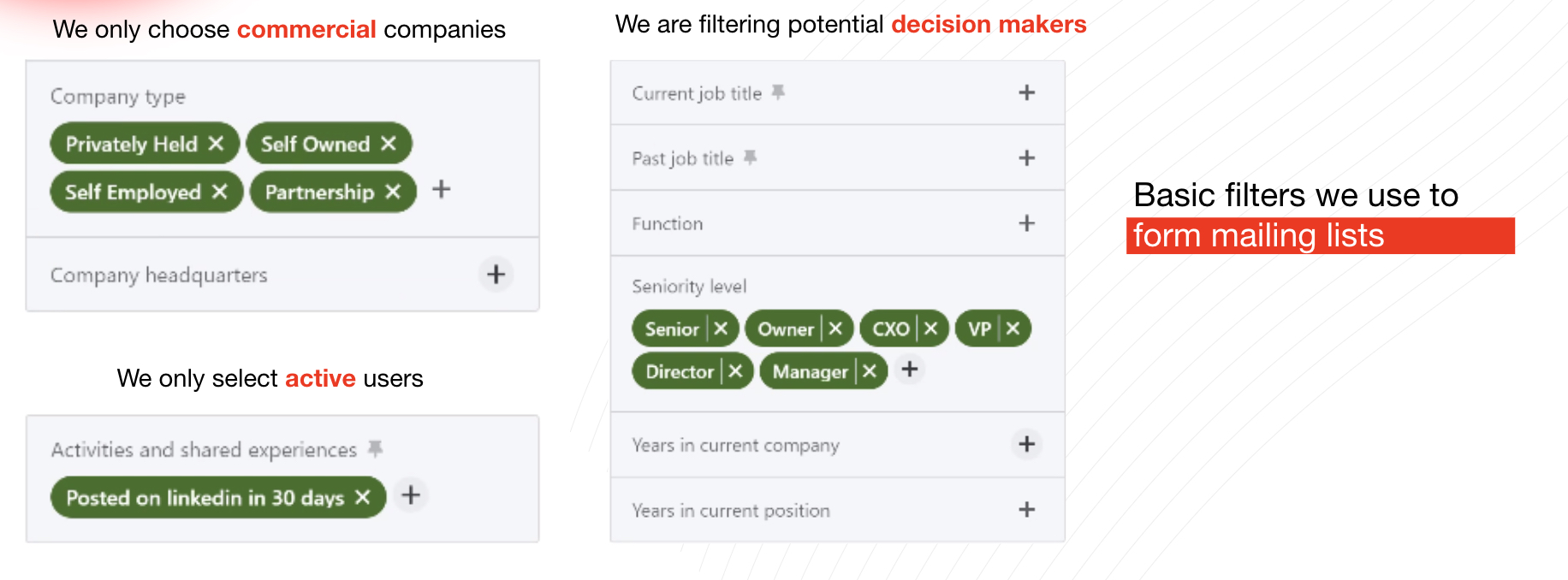
In our case, filtering by region and niche was used. In this way, we created several audience groups of 1-2 thousand users for convenience and visibility.
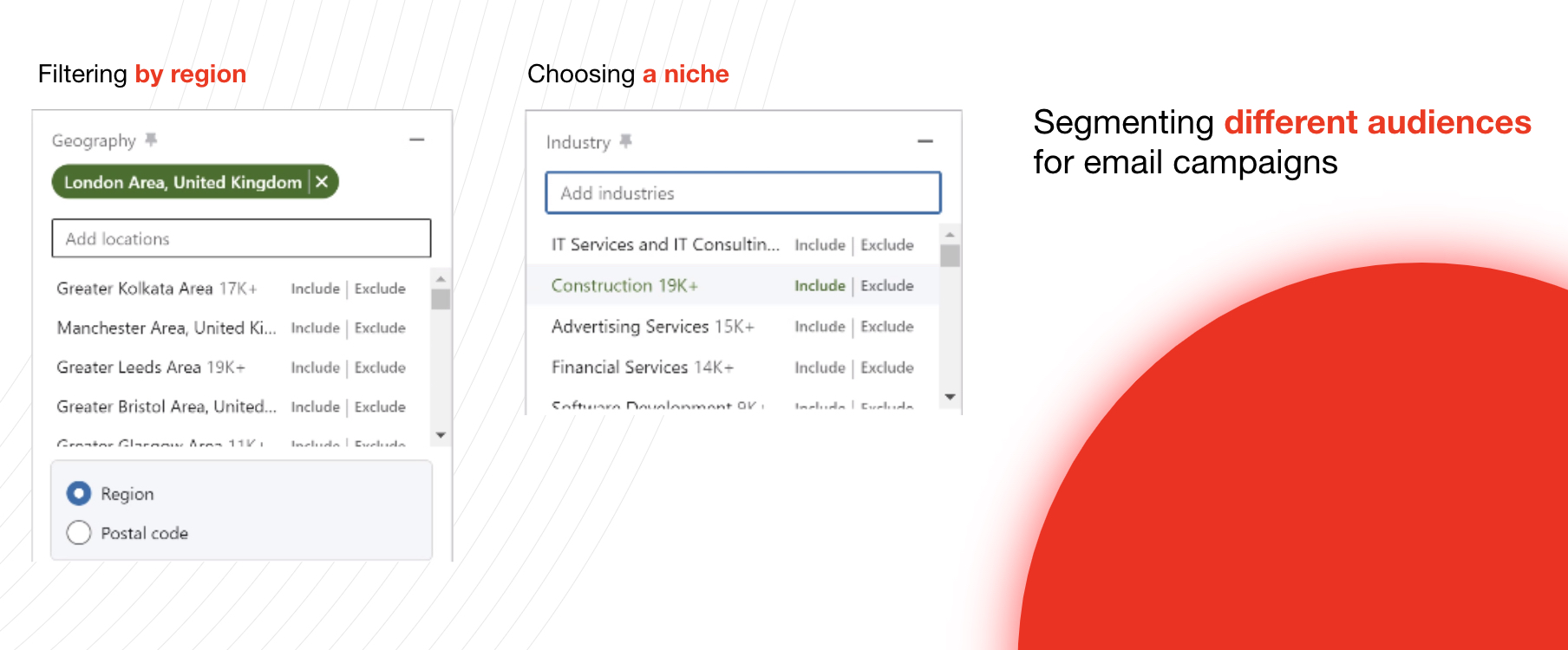
In the future, created audiences can be saved and new ones can be created based on them. In general, LinkedIn Sales Navigator is a really great service for working with audiences (and more). Yes, its price is quite high, but it is actually justified.
Step 2. Waalaxy
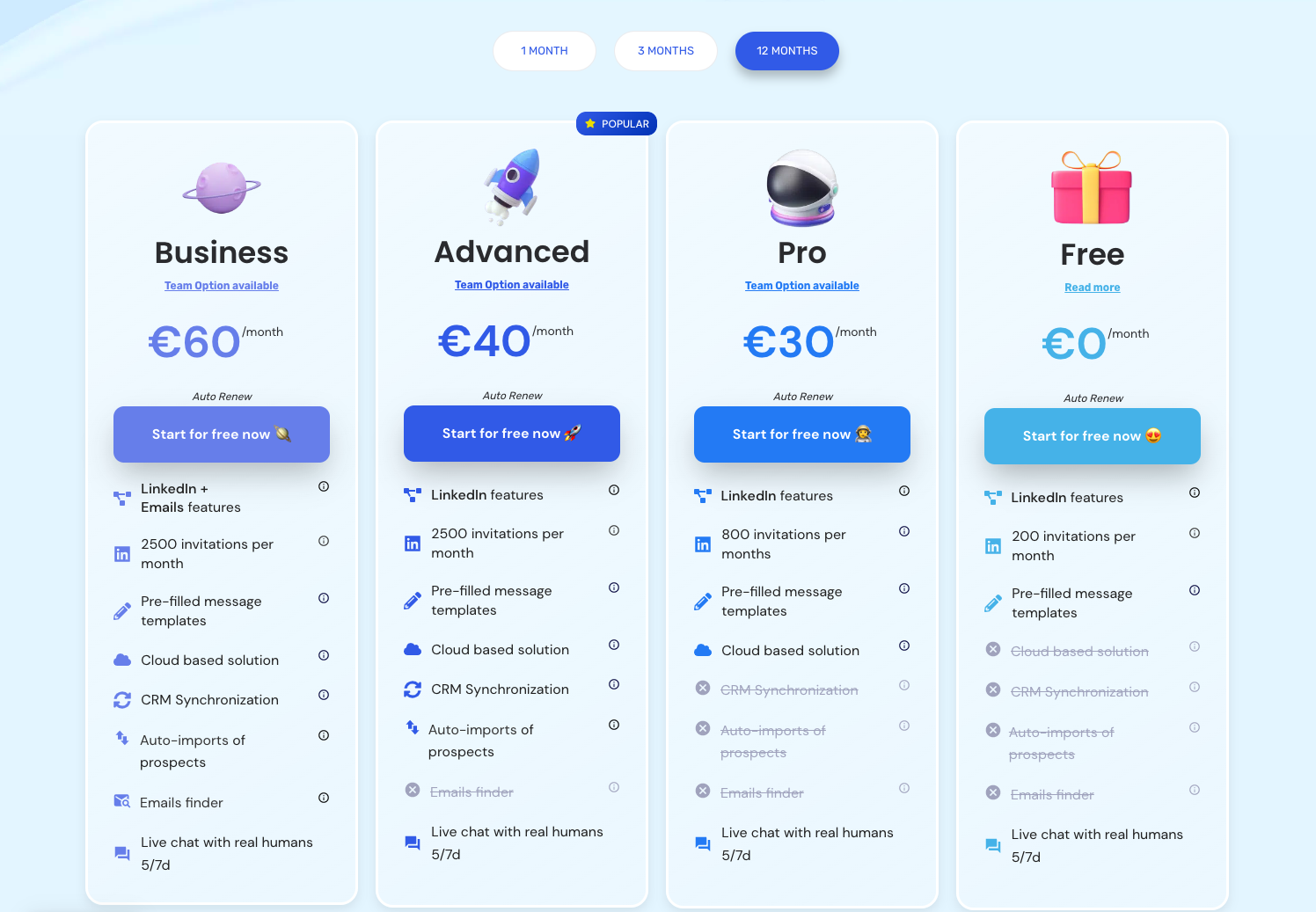
Waalaxy is a convenient automation tool for B2B Lead Generation on Linkedin, which is installed as a plugin for Google Chrome (or another Chromium-based browser), and also has a free version. If you need more features and capabilities, you can switch to one of the premium accounts.
Waalaxy automates the search for contacts of potential customers, allows you to do cold mailings, track the results of advertising campaigns, conduct A/B testing and optimize business processes in general. The free version of Waalaxy is quite limited, but the paid plans are relatively inexpensive, especially if you pay for a year.
Step 3. Audiences import
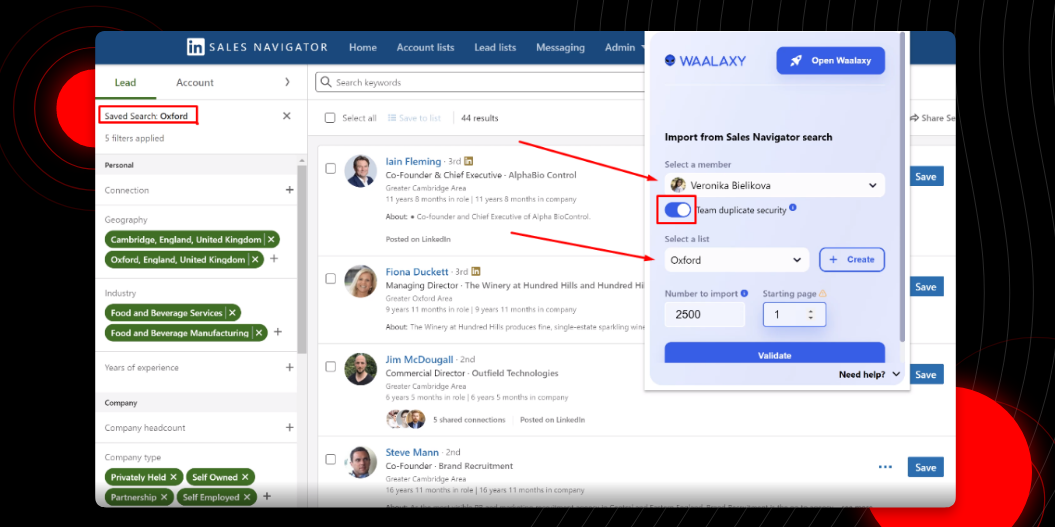
The process of audiences import from LinkedIn to Waalaxy is as simple and automated as possible. Just a few clicks and you're done!
Step 4. Creating message texts
This is where you will have to be creative, and not just use automation services. Your messages should attract attention and encourage action.
The main purpose of the first message is to initiate contact. Therefore, use the following tips:
- aim immediately for the pain of the TA;
- write concisely, but not too dryly, add some emotion;
- propose an offer that solves the TA's issue.
By the way, in Waalaxy you can create message chains and use ready-made templates. It is very convenient and saves a lot of time.
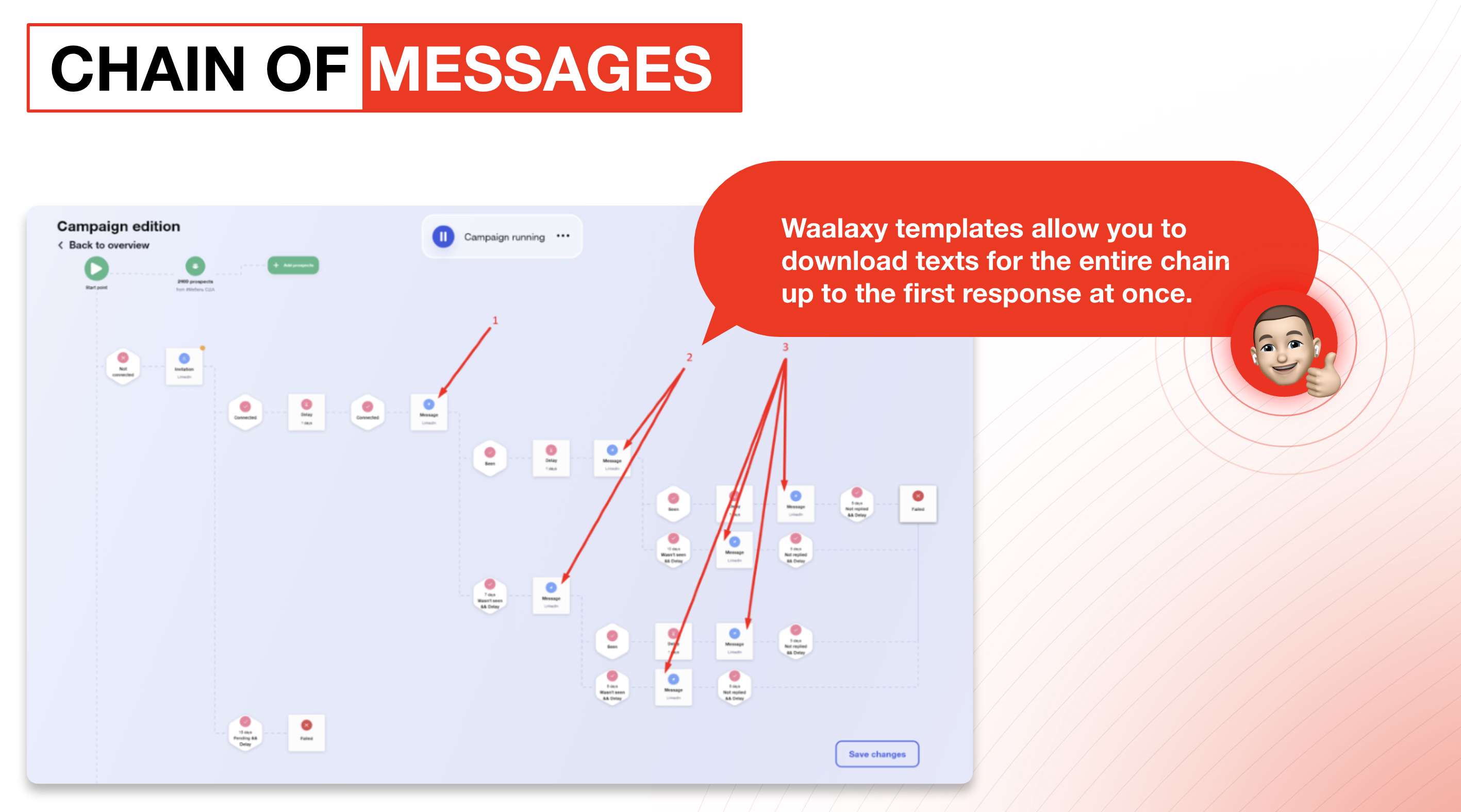
Important advice! Improve texts to increase % of responses. And every 100-150 messages, update at least 10-15% of the text so as not to end up in spam.
Step 5. Mailing settings
Personally, we acted as follows:
- We used the Event Horizon template (ex Peaky Blinders): invitation + 3 messages.
- Added audience base.
- The template of one letter has been downloaded.
- Personalized messages.
- Two possible scenarios were envisaged.
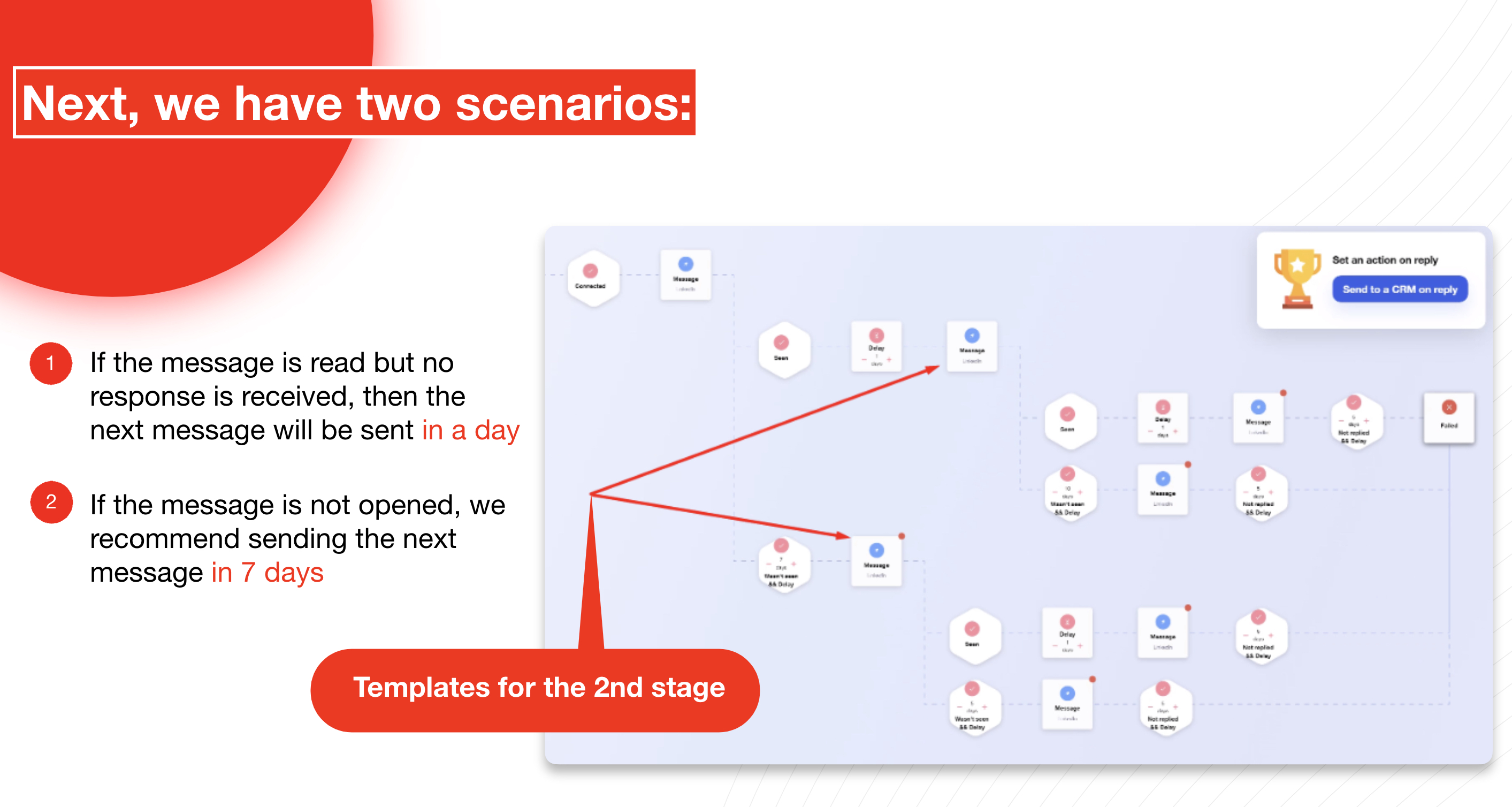
Next, we similarly build a chain for the third message:
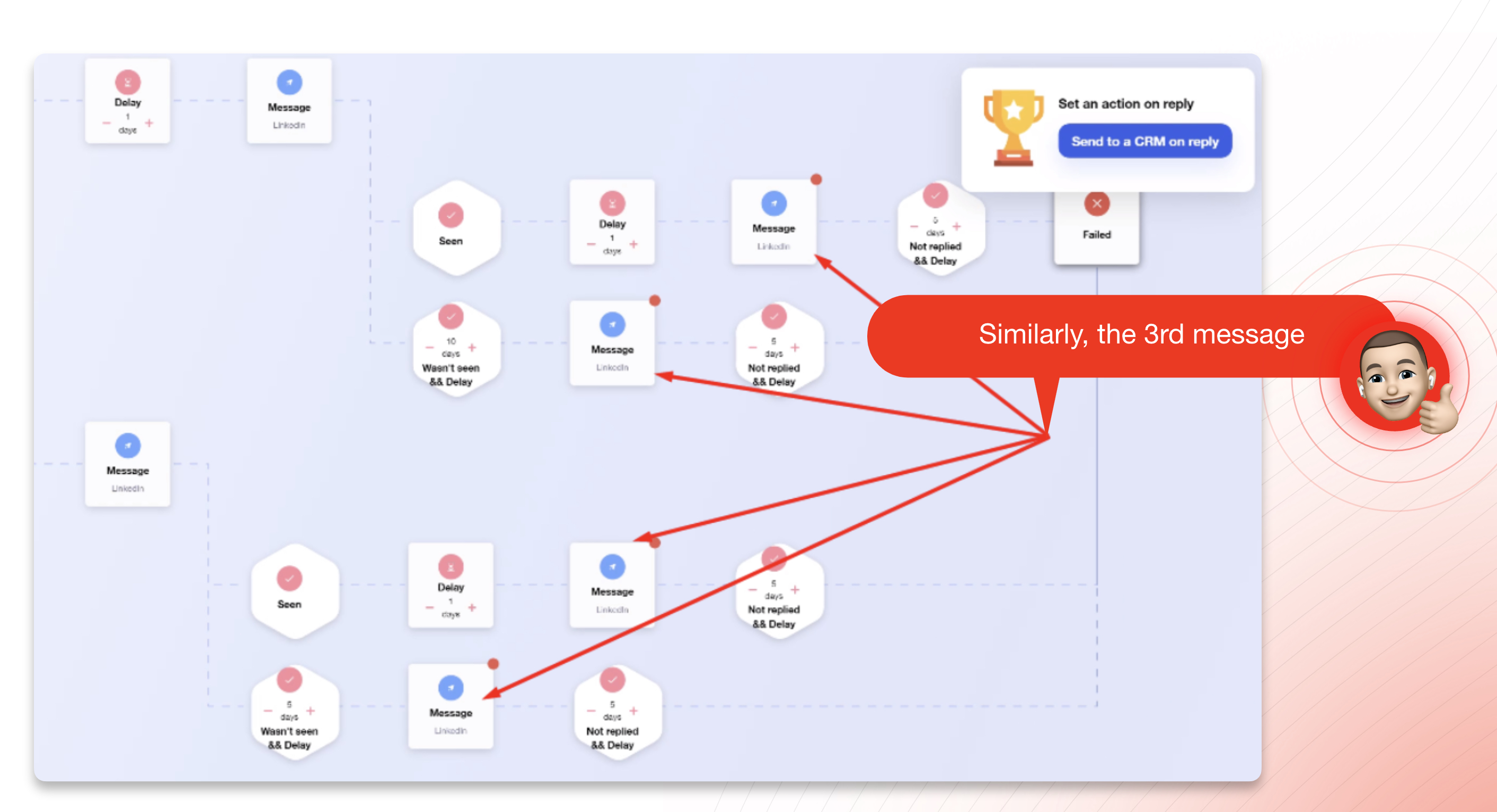
After that, we launch the template, we follow the perspective further. After the first response from the user, the mailing process stops, then we continue communication in person.
Step 6. Analytics
LinkedIn provides quite comprehensive analysis data. You can track statistics for all mailing campaigns or for each one separately, or see the percentage of responses and invites, etc. All this allows you to adjust your own promotion strategy through LinkedIn and achieve better results without spending a lot of time and money.
Useful tips from personal experience
Actually, using the given algorithm of actions, we managed to process more than 30,000 companies, hold more than 200 meetings and conclude 23 cooperation agreements. But there are actually a few other less-obvious tips that can improve your LinkedIn performance, but aren't usually talked about:
- Be sure to fill out the company profile in as much detail as possible.
- Design the pages of your team (10-20 people).
- Outline your desired target audience.
- Create a content plan and work towards it.
- Prepare СP at once for a month.
- Make at least 1-2 posts per week from all pages.
- Use posts as a means of communication, not as "text in the air".
- Initiate feedback in the comments.
- Ask colleagues to interact with your content
- Keep posting regularly
And finally, a few words about the design of your personal profile:
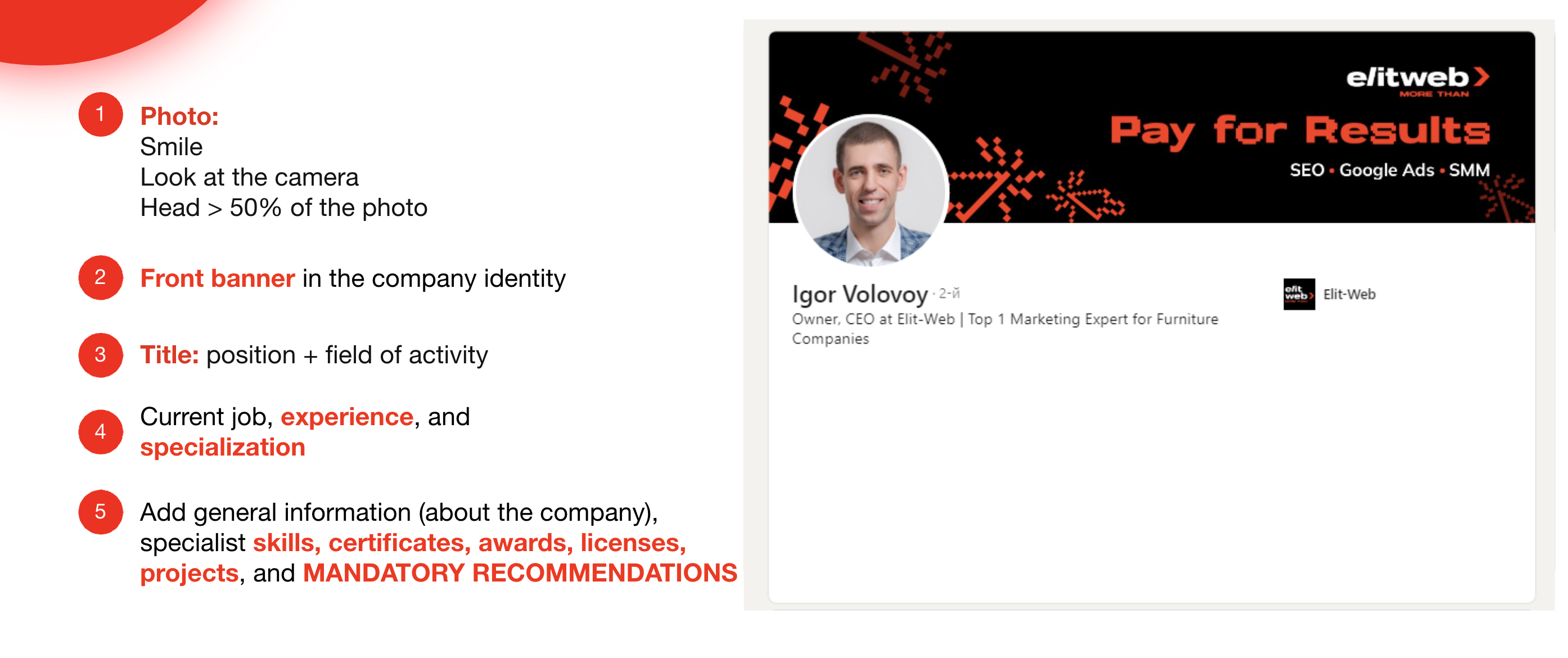
We hope our experience will be useful for you as well.
Thank you for your attention and we wish you a successful promotion on LinkedIn. This social network is much more functional and useful than you might think at first glance. If you're not using it yet, now's the time to fix it!


It's free and takes 2 minutes. There are 1500+ digital agencies in the catalog that are ready to help in the implementation of your tasks. Choose and save up to 30% on time and budget!