
Minimalism in website design. Examples and tips

Minimalism, as applied to web design, means using the minimum number of elements and features on a website that achieve the desired result. It strives to create the simplest and most intuitive interface that helps site visitors quickly and easily find the information they need or perform certain actions.
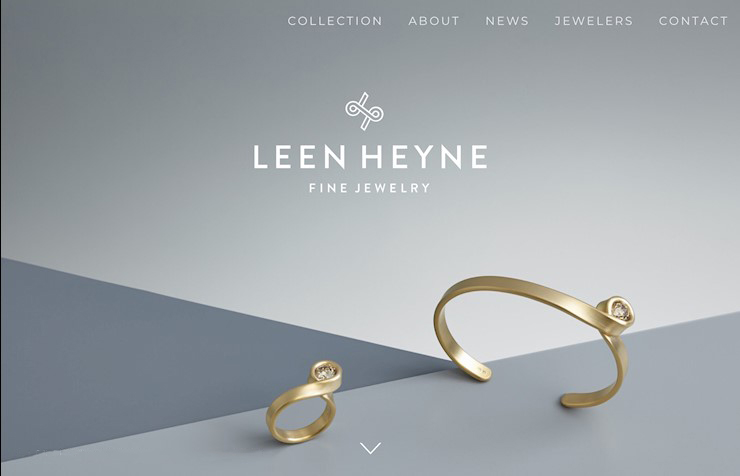
In a minimalist web project must necessarily have the following elements:
- Clear site structure: a minimalist site should have a logical division into sections and subsections that clearly display information and help the visitor easily find the information he needs.
- Clear and simple navigation elements: a minimalist web design uses simple and intuitive navigation elements that allow the site visitor to easily navigate through the site.

- Concise and quality content: in minimalist design it is important that the content is concise, accurate and informative. Such content will allow the visitor to quickly understand what the site offers and how it can help them.
- Fast loading site: minimalist design utilizes minimal graphics and images, allowing the site to load quickly. This is important so that the visitor does not leave the site due to long page load times.
What should not be on a minimalist site:
- Excessive graphic elements and images: in a minimalist design, images and graphic elements should be used in moderation. Excess images can make the site heavy and slow to load.
- Too much text: a minimalist website should not have too much text that makes it difficult to read and understand the information. The text should be concise and informative.
- Complex and unclear navigation elements: a minimalist site should not have complex and unclear navigation elements that can confuse the visitor and make it difficult to navigate through the site.
Expanded menu vs. "burger"
There is a debate about which of the two menus is more preferable on a website: the expanded menu with one-click access to all sections of the site, or a conditionally hidden menu that appears only after clicking on the "burger" icon.
Some designers argue that the burger menu looks more modern and expensive on any site. However, clients and marketers are more cautious, believing that such a solution may not appeal to a part of the audience, especially those who are older and not used to this type of navigation. Also, there may be a need for an additional click to move through the sections of the site, which may be inconvenient for some users.
There is no one-size-fits-all solution, and when choosing a menu you need to consider the specifics of the product, target audience and type of site. For example, for an online store it is necessary to use a detailed menu with product sections. However, for corporate and image sites, a menu-burger can be a great choice, adding style and ease of navigation to the project.
In support of the use of menu-burger can be cited the fact that more than 60-70% of users today access sites through mobile devices, where the menu-burger has already become a standard. Consequently, this solution is no longer a novelty, but rather a standard for easy navigation for the majority of users.
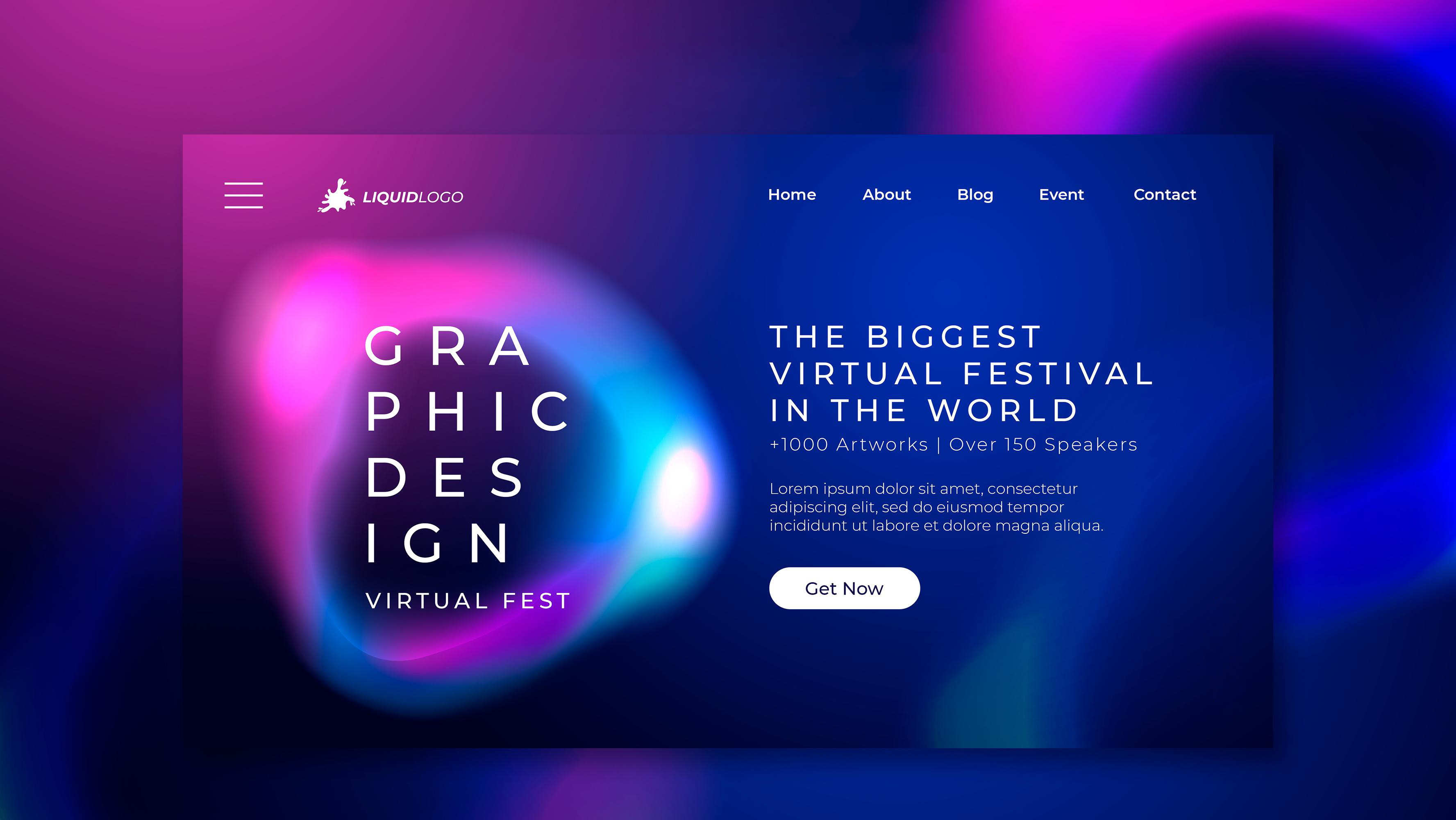
A compromise solution for optimizing the site header may be to use the expanded menu bar only for key product categories or sections that are most often clicked on by site visitors. This reduces the number of words in the expanded line to 4-6, which creates a visual effect of space and makes the header more attractive to visitors.
All other information, such as company information, scheme of work, payment and delivery, company news, vacancies, patents, certificates, etc., can be placed inside the "burger", which is revealed by clicking on the appropriate button in the site header.
This approach allows you to give site visitors quick access to the main sections while keeping the look of the site header clean and simple. It also helps make the site more user-friendly and easy to navigate, which can increase its appeal to potential customers.
Text - Photo - Video
Information on a website can be presented in a variety of ways, and choosing which elements to use depends on the goals of the site and its audience. Graphic information can be an effective way to attract visitors' attention and convey a message. Photo and video content can be particularly useful for promoting products, services and brand.

However, don't forget that textual information also plays an important role on a website. Well-written text can help visitors better understand what a company offers and convince them to make a decision to buy or use the services. Therefore, it is important to find a balance between text and graphic content.
In addition, the use of graphic information on a website should be justified and appropriate to the context. For example, on the website of an industrial equipment manufacturer, photos and videos of the manufacturing process may be more appropriate than on the website of a financial company. It is also worth considering that not all visitors may have access to high-speed internet or equipment that allows them to view video content.
Thus, using graphic information on a website is a useful and effective way to attract visitors' attention and convey a message, but it is worth remembering to balance it with textual information and tailor the content to the needs of the audience and the site's goals.



It's free and takes 2 minutes. There are 1500+ digital agencies in the catalog that are ready to help in the implementation of your tasks. Choose and save up to 30% on time and budget!