
How to Avoid Spam Filters and Land in the Inbox
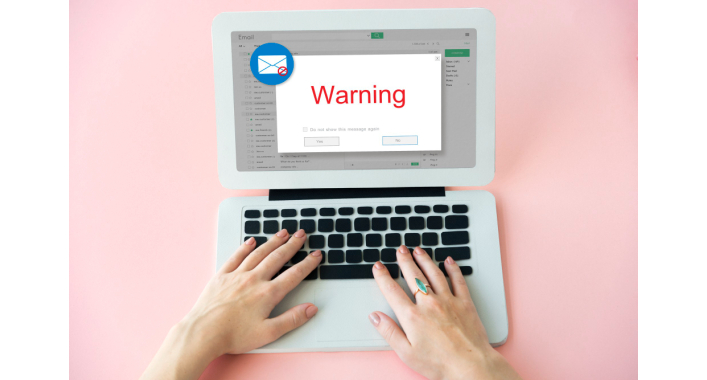
Email marketing is definitely one of the most powerful devices in the digital marketing toolkit. It keeps you face to face with your audience, establishes confidence, and converts into sales. But the best email will not be distributed if it never makes it to the inbox. There are many companies that are plagued by their emails landing in spam folders rather than where they want them—subscriber's inbox.
If you'd like to get past spam filters and end up in the inbox, you must learn about how spam filters operate and how to create emails that are trusted. This guide covers it all: from how to avoid spam trigger words to how to enhance your email deliverability score, and tested methods for boosting open rates and driving engagement.
What are spam filters and how do they work?
Spam filters are computer programs employed by email services such as Gmail, Outlook and Yahoo to mold their users from spam or malicious email. They filter all messages and give each a score depending on several factors. When the score becomes too high, the message is identified as spam.
Aspects that spam filters screen:
- Subject lines with ominous or deceptive words.
- Employment of spam triggers words such as "Free!!!" or "Act Now".
- Email authentication.
- Sender reputation and previous complaints.
- Text-image balance.
- Unsubscribe link presence.
Knowledge of these filters is the key to better inbox placement.
Why Avoiding Spam Filters Is Important
1. Safeguards Sender Reputation – A bad reputation renders future campaigns unsafe.
2. Improved Deliverability – Guarantees your messages get to the subscribers rather than getting lost.
3. Better engagement - Emails in inbox are more likely to open and click.
4. Enhanced ROI – With greater visibility, your email marketing makes more sales.
Typical Blunders That Send Emails to Spam
1. Spam Trigger Words Used
Examples: "100% FREE," "Act fast," "Make $$."
Filters recognize these as red flags.
2. Too Many Capital Letters or Exclamation Marks
SUBJECT LINES LIKE THIS!!! tend to get flagged.
3. Too Many Pictures, Little Text
Spam filters like an even text-to-image ratio.
4. Purchasing Email Lists
Results in high bounce rates and complaints.
5. Exclude an Unsubscribe Link
Laws requiring (CAN-SPAM, GDPR).
6. Poor Authentication Configuration
Without SPF, DKIM and Dmarc, sectors cannot certify your email.
How to clean the spam filter and finished in inbox
1. Utilize a Verified Domain and Email Authentication
Configure:
- SPF (sender policy framework) - Certifers which servers are allowed to be sent on your behalf.
- DKIM (domainkeys identification mail) - secures your message for authentication.
- DMARC (domain-based message authentication) -Allock spoofing and fishing.
These technical configurations inform your emails.
2. Build an permission-based email list
- Collect email through opt-in form, not buying a list.
- Apply double opt-in to validate interest.
- Clean the regular passive or duplicate email address.
This saves your email and reduces spam complaints.
3. Compose Clean, Honest Subject Lines
- Make subject lines pertinent to your message.
- Do not use deceiving techniques such as "Re:" or "FWD" if it isn't true.
- Limit exclamation marks and all caps used.
- Use names when possible.
Example of safe subject lines:
"Your Weekly Marketing Tips Inside"
"Special Guide Just for You: Improve Open Rates"
4. Steer clear of Spam Trigger Words
Red flag words include:
"Free!!!"
"Guaranteed"
"Credit score"
"Weight loss"
"Make money fast"
Instead, use professional natural language. Example: Instead of "free money" !!! Say "Get a no-cost trial for 7 days."
5. Balance text and images
- Only the images go to email spam.
- Keep at least 60% lessons and 40% images.
- Use descriptive ALT text for images.
6. Always Have an Unsubscribe Link
- Mandated by legislation like CAN-SPAM Act.
- Makes your email credible.
- A clear opt-out link lessens spam complaints.
7. Track Sender Reputation
Email providers monitor how to obtain a response to your email. Consider the following factors:
- Open rates.
- Click-through rates.
- Spam complaints.
- Bounce rates.
Track your reputation using tools like Google Postmaster Tools or SenderScore.
8. Send at the Right Time
Time matters for both engagement and preventing spam flags. Mailing hours that are not exactly on the hour can appear suspicious. Studies reveal:
- The great days to give emails are generally Tuesday, Wednesday or Thursday.
- Targets for the morning slot (8 to 10 pm to 10 pm) or afternoon window (1 pm to 3 pm).
- Remember, higher engagement prices generally tend to cause better shipping right into the recipient's inbox.
9. Segment Your Email List
Blasting the equal message to all dilutes relevance. Instead:
- Segment primarily based on demographics, vicinity, purchase history.
- Personalize the gives.
- Apply behavior-based totally triggers which include cart abandonment.
- Greater relevance = fewer court cases and higher inbox costs.
10. Test Before Sending
- Make use of gear like Mail-Tester or GlockApps.
- Always take a look at the unsolicited mail rating of your electronic mail before you send out a marketing campaign.
- Be certain to preview how your email seems in crucial email customers like Gmail, Outlook, and Yahoo to make sure the formatting is right.
Boosting Email Engagement (More Than Just Avoiding Spam)
Even if you control to hold your emails out of the direct mail folder, the real purpose is to get humans to really do something with them. Here are a few dependable tips to help you do this:
1. Personalization – Use first names and tailor-made gives.
2. Mobile Optimization – More than 60% of emails are read on mobile. Modular email templates are perfect for businesses running multiple campaigns (welcome series, newsletters, promos, re-engagement) and ensure every email adapts to mobile, tablet, and desktop without extra QA.
3. Brief and Concise Copy – Don't have huge chunks of copy.
4. Powerful CTA (Call to Action) – Send readers to take one definite action.
5. Regular Frequency – Don't go MIA, but not too many at once either.
Role of AI and Automation in Inbox Placement
New technology employs AI to enhance deliverability. For instance:
- AI-driven send time optimization guarantees messages reach subscribers when they're online.
- Behavioral tracking allows for personalization of offers.
- Content analysis tools screen out spam words before you send.
Real-World Examples
Case Study 1: E-commerce Brand
A web store saw 40% of its emails marked as spam. Through list cleaning, DKIM setup, and subject line rewriting, their deliverability increased by 35% in two months.
Case Study 2: SaaS Company
A software company employed AI-powered segmentation. Rather than blasting everyone, they sent location- and activity-targeted emails. Their open rates jumped 50%, and spam complaints decreased.
Myths About Spam Filters
1. Myth: All promotional email ends up in spam.
Truth: Using correct best practices can get promotions into the inbox.
2. Myth: Including "Re:" enhances deliverability.
Truth: Deceptive subject lines actually damage trust.
3. Myth: Images enhance inbox placement.
Fact: A lot of pictures can send email to spam.
Questions to ask
1. What is the most common cause in spam?
Poor sender prestige, spam subject line, or no authentication.
2. How do I know that my email will end in spam?
Spam test using a tool such as mail-testers before sending.
3. Using "Free" always makes spam filters trigger, right?
Not always. Context is key, but don't overdo it with subject lines.
4. How frequently should I clean my email list?
At least every 3–6 months to eliminate inactive users.
5. Can I overcome a poor sender reputation?
Yes. Clean lists, certified, and enhancing engagement.
Conclusion
It is not a matter of luck to finish in inboxes. It is about strategy, authenticity and belief. Staying away from spam trigger words, certifying your domain, and providing relevant, compelling content, you can greatly increase your email delivery.
Remember:
- Build your lists ethically.
- Treat subscribers with transparent subject lines and opt-out choices.
- Keep an eye on the reputation and constant tune of the sender.
When you complement these best practices with data-powered tests, you will not only avoid spam filters, but will also create a loyal audience that eagerly guesses when opening your email.



It's free and takes 2 minutes. There are 1500+ digital agencies in the catalog that are ready to help in the implementation of your tasks. Choose and save up to 30% on time and budget!