
Beginner's step-by-step Guide: How to Create A Great Small Business Website

Every small business needs to have a website. It enables the company to get an online presence, boost its brand awareness, expand its audience and maximize its income. To build a website, you don't need to hire a team of experienced professionals who will charge a lot for their services. Instead, you may resort to a website builder or a content management system. Such solutions are available in free and freemium versions. It's not necessary to have any coding or design skills to use them. In this article, we'll share a step-by-step guide how to make a top-notch website for a small business without professional help.
Choose a Domain
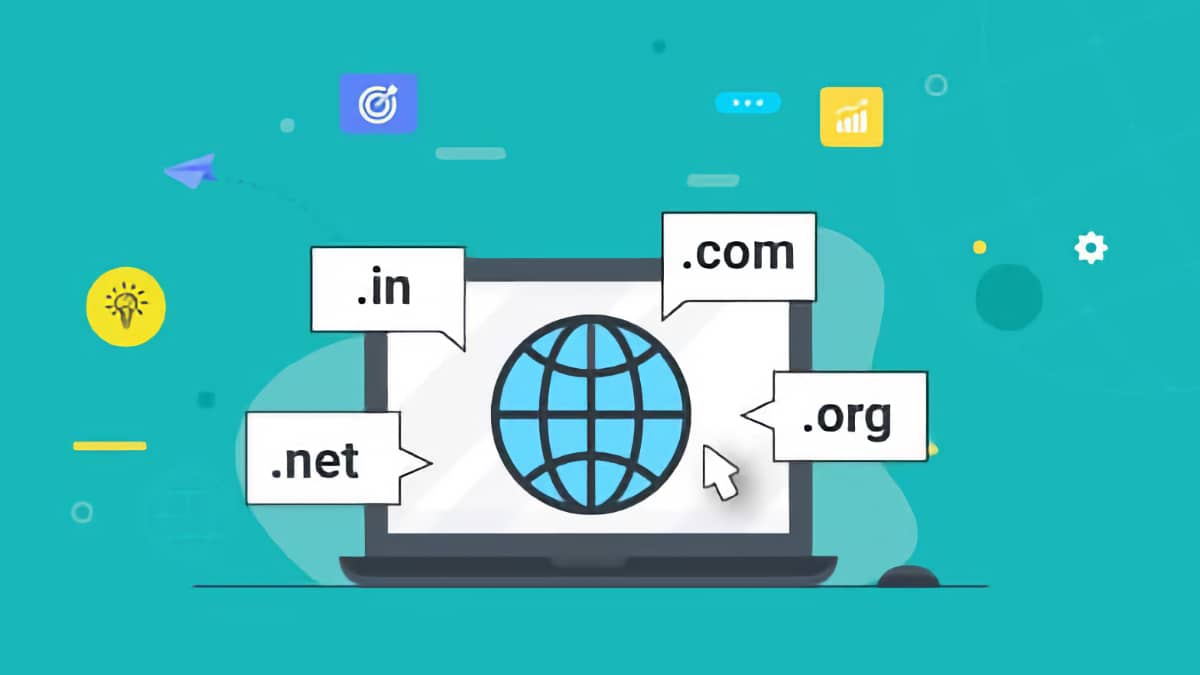
The unique name of your website is known as its domain. Ideally, it should contain the name of your company or hint at the products or services that you provide. Such an approach will help your potential clients quickly find you through search engines. Plus, your branding will be kept consistent.
A good domain meets these criteria:
- Is short and easy to spell and memorize
- Features keywords that are relevant to your niche
- Doesn't include numbers, hyphens or abbreviations
- Is not used by anyone else
If your dream domain is already occupied, you can get in touch with its owner and buy it. But that would be much more expensive than taking a free domain. An alternative way out is to select an alternative zone for your domain. For instance, if the .com version is taken, consider .net, ,biz and other variants. Make sure your domain zone is relevant to your industry.
If you lack inspiration, an automated domain name generator will save you.
Register Your Domain and Host Your Website
After you've picked a domain name, it's time to register it. Network Solutions and Domain.com are among the most popular registrars. Each year, you'll be required to pay something between $10 and $20 to the registrar.
The next step is to select a hosting provider. To save time and effort, you may from the onset search for such providers that offer hosting services and register domain names. Besides, some providers offer tools that you can use to design your website.
Here are some of the most popular hosting providers for small business websites:
- WordPress
- Squarespace
- Wix
- Bluehost
- DreamHost
- GoDaddy
- InMotion
A crucial parameter that you should pay attention to is the provider's tech support. Ideally, it should be available 24/7 through various communication channels (phone, email, messengers and live chat). The support team should give consultations either for free or at a reasonable price.
The second important parameter is a Secure Sockets Layer (SSL) certificate. It secures the connection and protects sensitive data on your website (both your and your clients). If a site features an SSL certificate, its URL begins with HTTPS and not HTTP.
Selected hosting providers offer free domain names to their clients.
Think of Your Website Structure
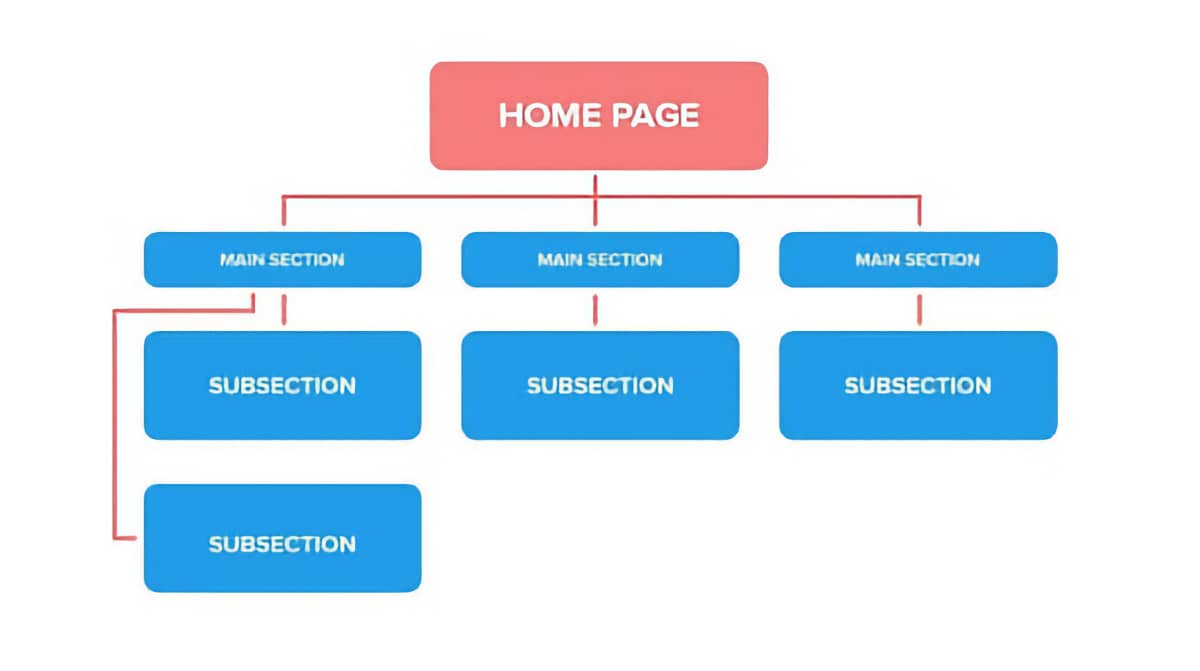
Most small business websites include the following pages:
- Homepage. At a glance, the visitors should be able to understand which goods or services you specialize in and what differentiates you from your competitors. The fonts should be readable and the graphics need to be eye-catching. Make your calls-to-action enticing and your descriptions clear and concise.
- About Us. This page reveals your company's story, values, mission and achievements. To establish more personal connections with your customers and partners, consider introducing your staff members on this page.
- Online shop. It will enable you to boost your profit. Such a page will serve as an opportune addition to the marketplaces and other third-party resources that you use to sell your products.
- Contacts. Here, it's important to list all your relevant contacts: phone numbers, emails, postal addresses and social media accounts. Add a form where people will be able to submit their requests. Plus, it would be wise to feature your operating hours.
- Content. This page can be called Blog, Updates, News or something similar. There, you'll share text posts, images, videos and audio files. It's vital to regularly upload fresh content to your website to improve your rankings in search engines, expand your audience and enhance your reputation as an industry expert.
- FAQ. Compile a list of questions that users ask you the most frequently and add comprehensive answers to them. Customers will be grateful for the fact that you take care of them. They will send fewer messages and make fewer calls to your support team.
- Testimonials and press coverage. Share screenshots from websites, videos and printed media that mention, review and praise your company. It's an efficient tool for boosting your brand credibility. Positive reviews will motivate the users who see them for ordering your goods or services.
You may place the buttons that lead to all these sections of your website in the top horizontal menu of your homepage. Alternatively, consider placing an icon with three horizontal lines in the top-right or top-left corner of your homepage. When the visitor clicks this icon, a vertical menu with the buttons will open.
Decide Whether You Prefer a Website Builder or a Content Management System
A website builder and a content management system (CMS) both let you make a powerful and professionally-looking website with minimum effort. Let's analyze the difference between them.
A CMS is an online software that features a pre-built framework. You can use pre-designed, customizable themes instead of writing the code with your own hands from scratch. The website that you'll create with the help of a CMS will be scalable, flexible and customizable. You'll get maximum control over your digital product. Compared to a website builder, a CMS has a steeper learning curve.
A website builder allows you to create a fully functional website out of pre-built components. To make your life easier, many builders have drag-and-drop editors. Compared to a CMS, a solution of this type offers limited customization opportunities and flexibility.
Here are the most popular and functional options that you might want to consider:
- WordPress. It's the most popular CMS in the world. People value it for ease of use, flexibility and an impressive selection of plugins. The WordPress community is large and supportive. When you need a free consultation or the best web developers to improve your website, you'll find them quickly. On the flip side, WP is the favorite target of hacking attacks. To play safe, make sure to maintain your website well.
- Drupal. This one is just as easy to use and flexible as WordPress. Its community is big and ready to help. Drupal might be not too rife in themes and plugins — but it guarantees stronger security, compared to WP.
- Joomla!. This solution loses to WordPress when it comes to plugins. But it boasts excellent multilingual capabilities, security and SEO.
- Squarespace. First, you purchase a monthly or annual subscription. Second, you build a website, using a drag-and-drop editor. Squarespace is famous for its collection of aesthetically pleasing templates. Creatives and businesses that can't hire professional designers because their budgets are tight appreciate that. Even though the choice of extensions might be slightly limited, Squarespace has a more shallow learning curve than the above-listed alternatives. The package that you pay for will include unlimited bandwidth and storage hosting, a domain name with annual purchase, 24/7 support, SSL security, software maintenance, metrics, website design and development.
- Wix. It resembles Squarespace in many aspects but is slightly more user-friendly. You can subscribe to it only on a monthly basis. Even though this solution is a bit less structured, it allows you to handily drag and drop the elements of your website. Compared to Squarespace, Wix features more templates and is even easier to learn. However, the former won't require you to rebuild the whole site from scratch if you decide to change the template — while the latter will. Wix is the go-to solution for those who would love to build a website as quickly as possible without any prior experience.
When selecting the best option, focus on three aspects: costs, user-friendliness and extensibility. The last parameter will become paramount when your website needs to scale or integrate new functionality.
Pick a Theme or a Template
In this context, the terms "theme" and "template" can be used interchangeably. Many CMSs offer a wide range of free plugins and an extensive collection of premium ones. Usually, the templates are classified into categories so that you can easily find those that fit your industry and corporate style.
To discover the collection of free themes in WordPress, go to Appearance, then Themes. Squarespace lists all its templates directly on its website. It allows you to conveniently preview all options. When you decide which theme you love best, click Start With This Design.
You'll be able to customize themes and templates. Before they go live, you can preview them.
Install or Activate Plugins
The term "plugin" is often used interchangeably with its synonym "extension". The former is typical of WordPress and the latter — of Squarespace and other alternatives. Plugins extend your website's functionality. There might be thousands of them available, depending on which platform you build your website.
Here are the categories of plugins and extensions that generate the highest demand
- Performance and optimization. Optimole and WP-Optimize can serve as top examples. They accelerate the loading speed of your web pages and boost your website's performance.
- Security. Sucuri Security is a go-to solution in this aspect. Security plugins will protect you from hackers, spam and many other issues.
- Backups. Back up your files and databases — this might save you if something goes wrong with your website. Updraft Plus is a worthy plugin that can cope with critical tasks.
- Search Engine Optimization (SEO). Yoast SEO plugin is good at optimizing content.
- E-commerce. If you're planning to sell your products on your website, you may either create it with an ecommerce site builder — or simply add the necessary plugin to it. WooCommerce is one of the best solutions for WordPress websites development.
If you add too many plugins, your web pages might begin to load slower. Please choose only those that you genuinely need. When selecting top plugins or extensions, make sure they're regularly updated and have good customer reviews/ratings.
Apart from the already existing plugins, you can commission custom ones to developers.
Publish Relevant and Valuable Content

It's essential to regularly upload fresh content to your website to please both people and search engines. Here are the basic rules to remember:
- Develop a tone of voice for your business and always stick to it
- Include keywords and key phrases that are relevant to your niche in your text content — it will become easier for people to find you
- Make your content helpful for visitors — share tutorials on how to use your products or analytical articles with the latest trends and statistics of your sector
In addition to the content that you'll generate yourself, it would be wise to add your customers' testimonials. Feel free to place them on your homepage and product pages.
Do Search Engine Optimization
SEO optimization is the process of refining your website to help it land higher positions in search engine rankings. You can order search engine optimization services from TOP SEO companies, or you can promote the site yourself. Here is exactly what you should do:
- Opt for responsive design. Your website should look equally appealing and function equally smoothly on all devices, be it a stationary computer or a not-so-new smartphone.
- Stick to a fixed schedule of adding new valuable content to your website.
- Use keywords and relevant phrases in your posts, headlines, titles, descriptions and tags — but avoid overspamming.
- Regularly conduct content audits and cleanups to understand what could be refreshed or consolidated.
- Ensure intuitive navigation.
- Minimize the load speed of every page. Enable browser caching and optimize images for this purpose. GTmetrix can help you to measure the speed of your pages.
If you follow these recommendations, it will become easier for new clients and partners to find you through search engines. Or contact with the best SEO companies for small businesses and get professional services.
Install Google Analytics and Google Search Console
These tools will provide you with answers to such questions as:
- How many users visit your website daily, weekly and monthly?
- How many times per a given period do they visit each page?
- How much time do they spend on each page?
- Which keywords do they type in to find the link to your website through search engines?
- How many backlinks does your website have?
- How many broken links does your website feature?
- How long does it take for each web page to load?
- How many errors do search engine crawlers stumble upon on your website?
- What is your bounce rate?
Bounce rate is the percentage of users who open just one page of your website and then leave. They might do so because your website loads too slowly, or because they were looking for something else, or for other reasons. The lower the bounce rate, the higher the position of your website in search engines.
If you prefer Bing, it has its version of Webmaster Tools.
Maintain Your Website
The verb "to maintain" means to make sure that your site operates as intended, is not hacked and remains properly indexed by search engines. Here is an approximate plan that it might be wise to stick to:
- Once or twice per month, check Webmaster Tools data
- As soon as the system sends you an email to inform you about a vital error, find time to fix it as promptly as possible
- To get rid of errors, rely on performance data
- Update your software timely
- Run security scans to know that your website hasn't been hacked and remains clean of malware
- Back up your website at least once per day and at least 10 days back
- Let your visitors share feedback about your website with you
Good maintenance is a vital prerequisite for customer satisfaction. To better cater to your audience, analyze your traffic data systematically. Monitor what your competitors do to improve their online presence, borrow their best practices and customize them. Keep on continuously looking for new marketing opportunities.
Split tests are a great tool for finding out which version of your website your audience loves best. These two versions should differ by one parameter only. For instance, two landing pages might differ in their calls to action. Make both versions go live, analyze customer behavior and stick to that version that has proved to be the most efficient.
FAQs
Does every small business indeed need a website?
Small businesses from all industries can benefit from having an online presence. A website will enable you to boost your brand awareness, expand your audience and make more money.
How much does it cost to build a website to offer services online?
The cost of building a website depends on its level of complexity. To minimize expenses, consider creating a website with your own hands with the help of a free or freemium website builder or a content management system. You'll need to pay for your domain name, hosting and premium plugins / extensions. You should be ready to spend a few hundred USD or EUR per year to create to maintain a simple but professionally-looking website.
Is it better to hire professionals to build a website or create a website without third-party help?
It depends on which goals you're planning to achieve. If you want a large, powerful and highly customizable website with extensive functionality, you'd better entrust its development to a professional team. If you need an online store or a website that will serve as your company's business card, you can build it yourself.
Is it difficult to build a website on your own?
It's not necessary to have design or coding skills to build a website without third-party help. You'll be able to use a drag-and-drop editor and choose from an extensive collection of ready-made customizable templates. Probably, you'll be able to create a small business website in just one day.
Is it possible to build a website with your own hands?
Absolutely. You can use a website builder or a content management system (CMS) for this purpose. Top solutions have a shallow learning curve and feature comprehensive tutorials.
How do I get targeted traffic to my website?
To drive traffic to your website, you can resort to SEO, paid ads, social media ads, paid search campaigns, backlinks and content marketing.




It's free and takes 2 minutes. There are 1500+ digital agencies in the catalog that are ready to help in the implementation of your tasks. Choose and save up to 30% on time and budget!