
Promotion on Google Maps: Key aspects and optimization of a point on the map
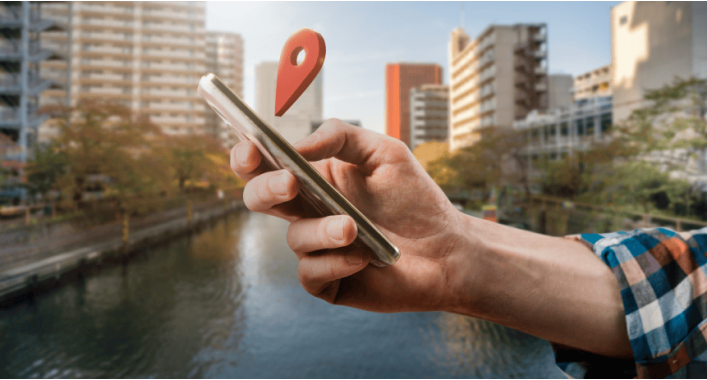
Google Maps, or Google Maps, is one of the most popular online mapping services in the world. They provide users with the ability to find places and services in different parts of the world. For businesses, this is an important tool for attracting customers and local promotion. In this article, we'll look at the key aspects of promoting on Google Maps and optimizing your map location to increase your business's visibility.
How does Google Search work?
Today, the world's largest search resource is Google. This platform actually has a monopoly in the field of information search. That is why our company decided to use this system as the basis for creating our GEO advertising technology.
First block: Advertisements
Search results containing the mark "advertising" are always displayed at the top of the list (from 1 to 4 ads) and at the bottom of the list (from 1 to 5 ads). The position in the list is determined through the Google Adwords auction.
Second block (sometimes first): Search in Google Maps
Search combines three services: Google Maps, Google Places and Google Street View. In order for your business to appear in map searches, you need to register it with Google My Business. The position in the list depends on many factors, based on which the search is individually adapted to the needs of each user.
Third block: Organic search (SEO)
In order for your website to appear in organic search results, you need to regularly update and add information that is of interest to potential customers. Achieving display in this search block is the most difficult. Often here are companies with a large budget or market leaders who have invested a lot of money and many years in the development of their website and its promotion.
As a result, we can determine that promotion on Google Maps for local businesses in today's world is becoming more and more important. Google Maps has long proven to be a very useful tool for attracting customers and increasing the visibility of a business. They allow businesses to be closer and more accessible to users, especially local audiences.
Key aspects of promotion on Google Maps and optimization
1. Create a Google My Business Profile for Your Business:The first step to successful listing on Google Maps is to create a Google My Business (GMB) profile for your business. In this profile you can add photos, description of services and opening hours.
2. Mark your location on the map:Make sure your location is correctly marked on Google Maps. This will help users find you faster and more accurately.
3. Reviews and ratings:Invite customers to leave reviews of your business on Google. Positive reviews and high ratings will increase customer trust and improve your ranking in search results.
4. Keywords on the map:Add keywords to your business description in Google My Business. This will help improve indexing and increase the likelihood that users will find your location on the map when searching for related services.
5. Content on the map:Add photos, videos, and other content that supports your business. For example, for restaurants - menus, for stores - promotions and goods.
6. Keep your information current:Regularly update your business information, including hours of operation and contact information. Nothing frustrates a customer more than incorrect information on cards.
7. Use Google Ads:Google Ads allows you to create advertising campaigns specifically for Google Maps users, increasing your business's visibility on the service.
8. Partnering with Local Businesses:Partnering with other local businesses can help improve your visibility on maps, especially if you offer similar services or products.
9. Analytics and Performance Tracking:Use analytics tools to track how users interact with your Google Maps profile and adjust your strategy based on that data.
Finally, promoting on Google Maps is an important part of promoting your business locally. By optimizing the point on the map and using all possible tools, you can attract more customers and increase your popularity in this important Internet service. Be active, follow the results and soon you will see your business becoming more visible on Google Maps.
Advertising on Google Map
To place an advertisement on a Google map, you need to use the Google Ads service, an advertising platform Google form. Here are some tips that will help you place ads on Google map:
- Creating a Google Ads account: If you do not already have a Google Ads account, create one on the Google Ads website.
- Choose a campaign: After creating your account, create a new advertising campaign and select the campaign type “Location advertising.”
- Campaign setup: Set up campaign parameters, such as budget, target audience, advertising schedule and other settings.
- Select an ad type: You have several types of location-based advertising on the Google map, including display on the map, Google My Company pages, and an extension for displaying advertising on mobile devices.
- Create advertising publicity: Create an effective advertising publicity with information about your business, promotions, photographs and other necessary information.
- Select a location on the map: Select the location where you want to display your ad on the Google map. You can select specific areas, places or other locations.
- Select Keywords:Add keywords that are relevant to your business and services so that your advertisement appears when users search for related information on the map.
- Budget setting: Indicate your current budget and the maximum cost per click you are willing to pay for advertising on the map.
- Check and activate the campaign: Review all configured campaigns and advertisements and activate the campaign.
- Monitor your results: Use Google Ads analytics tools to monitor the effectiveness of your Google Map ads and make adjustments to your campaign to get better results.
Remember that advertising on Google Maps can be a powerful tool for gaining new clients and increasing the visibility of your business, but the success of the campaign depends on proper adjustment and constant refinement.
Promotion on Google Maps for local business is more important than SEO
Promotion on Google Maps for local businesses can be important, but SEO (search engine optimization) for certain companies for the following reasons:
- Local relevance: Google Maps is focused on local search. Retailers often use them to search for specific services or products in their region. Therefore, it is important for businesses to be visible in this context.
- Physical location display: Google Maps allows you to show your business's exact location on a map. This helps clients find you easier and better.
- Possibility of reviewing views and ratings: Business owners can review views and ratings of your business directly on the Google map. This helps them make decisions when choosing products or services.
- Mobile directness: Many people use Google Maps on their mobile devices if they are looking for business near their local area. It is extremely important for mobile customers to promote locally on Google Maps.
- Customer convenience: Google Maps provides information about the year of work, contact information and photos of the business. This ensures the clarity of information for clients.
- Advertising Possibility: Google allows you to create advertising campaigns specifically directed to users who use Google Maps. This can increase the visibility of your business.
While SEO is also important and helps improve your website's ranking in organic search results, for large local businesses, promoting on Google Maps can be a more effective way to attract customers, especially your target audience is misceva. A successful local business requires an innovative approach to achieve maximum success on the Internet.
If you need professional access to Google Maps, we will help you: https://mapstars.co




It's free and takes 2 minutes. There are 1500+ digital agencies in the catalog that are ready to help in the implementation of your tasks. Choose and save up to 30% on time and budget!