
How to Efficiently Manage Multiple WordPress Sites
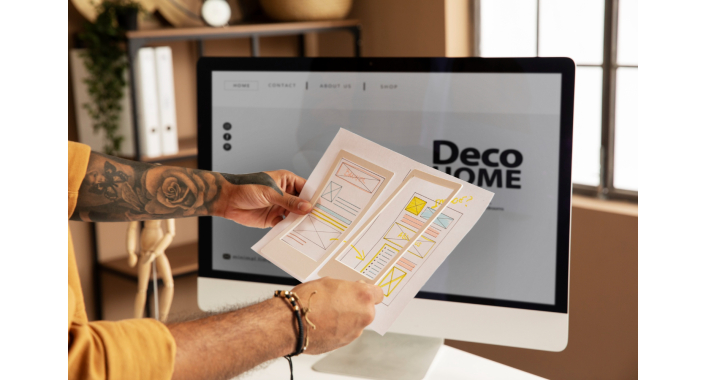
Managing multiple WordPress sites can be a daunting task, especially for agencies and developers handling diverse client portfolios. Ensuring consistent performance, security, and content updates across multiple platforms requires a systematic approach and the right tools. Additionally, when considering a redesign of any of these sites, it's critical to follow a Website Redesign SEO Checklist to maintain and boost SEO rankings. For detailed guidance, explore the comprehensive checklist provided by Web Help Agency: Website Redesign SEO Checklist: Boost Your Rankings.
Understanding the Need for Efficient WordPress Site Management
Efficient management ensures that all sites remain secure, updated, and optimized, saving time and reducing errors. Common challenges include:
-
Tracking updates: Ensuring themes, plugins, and core files are up-to-date across all sites.
-
Security: Maintaining robust security measures for each site.
-
Plugins and themes: Managing compatibility and updates for different configurations.
Tools for Managing Multiple WordPress Sites
Several tools simplify multi-site management, offering features to handle updates, backups, and performance monitoring from a single dashboard.
-
ManageWP: A popular tool with features like automated backups, performance monitoring, and client reporting.
-
InfiniteWP: Ideal for agencies, offering bulk updates, uptime monitoring, and one-click access to admin panels.
-
MainWP: A self-hosted solution providing extensive customization and control.
-
Jetpack: A robust plugin offering backups, security, and performance optimization.
Features to Look For in a Management Tool
When selecting a tool, prioritize:
-
Centralized Dashboard: For overseeing all sites in one place.
-
Backup and Restore Options: To safeguard against data loss.
-
Automated Updates and Monitoring: To keep sites secure and optimized without manual intervention.
Setting Up a System for Multi-Site Management
Organizing Site Information
-
Maintain a centralized database of login credentials.
-
Use password managers to secure and organize access details.
Establishing a Routine
-
Schedule regular updates for WordPress core, themes, and plugins.
-
Conduct periodic security audits to identify and address vulnerabilities.
Optimizing Security Across Multiple WordPress Sites
Security is paramount when managing multiple sites. Implement these best practices:
-
Enable two-factor authentication (2FA) for all admin accounts.
-
Regularly update WordPress, plugins, and themes to their latest versions.
-
Use a web application firewall (WAF) to protect against cyberattacks.
Streamlining Content Management
Keeping content updated and consistent across sites requires strategic planning.
-
Content Calendars: Plan and schedule content in advance.
-
Syncing Strategies: Align content goals across different sites to maintain brand consistency.
-
User Roles and Permissions: Assign appropriate roles to team members to streamline workflows and prevent errors.
Performance Optimization for Multiple Sites
Maintaining fast load times is critical for user experience and SEO.
-
Regularly test site speed using tools like GTmetrix or PageSpeed Insights.
-
Implement caching and Content Delivery Networks (CDNs) to reduce server load times.
-
Optimize images across all sites to improve performance.
Monitoring and Analytics
Monitoring site performance ensures consistent quality and helps identify issues early.
-
Use tools like Google Analytics, MonsterInsights, and UptimeRobot to track key metrics.
-
Monitor uptime and page load times to maintain a seamless user experience.
Managing Backups and Restores
Automated backups are essential for recovering from unexpected issues.
-
Schedule backups at regular intervals for all sites.
-
Choose reliable solutions like UpdraftPlus or BackupBuddy for hassle-free restoration.
Troubleshooting Common Issues in Multi-Site Management
Identifying Common Problems
-
Plugin Conflicts: Test updates in staging environments to prevent live site issues.
-
Broken Links: Regularly scan for and fix broken links to enhance user experience.
-
Security Breaches: Monitor for suspicious activity and respond promptly to mitigate risks.
Steps to Resolve Issues Efficiently
-
Use error logs to pinpoint and address problems.
-
Revert to backups if issues cannot be resolved quickly.
-
Document solutions to streamline future troubleshooting.
Conclusion
Efficiently managing multiple WordPress sites requires a combination of the right tools, strategic planning, and ongoing optimization. By streamlining processes, securing sites, and leveraging analytics, you can ensure your portfolio remains robust and high-performing.
FAQs
Q: What are the best tools for managing multiple WordPress sites? A: Tools like ManageWP, InfiniteWP, MainWP, and Jetpack are excellent options for multi-site management.
Q: How can I ensure security across all my WordPress sites? A: Enable 2FA, keep software updated, and use a web application firewall (WAF).
Q: What is the recommended frequency for updates and backups? A: Perform updates weekly and schedule daily or weekly automated backups depending on site activity.




It's free and takes 2 minutes. There are 1500+ digital agencies in the catalog that are ready to help in the implementation of your tasks. Choose and save up to 30% on time and budget!