
Best Website Building Platforms for Small Businesses in 2022
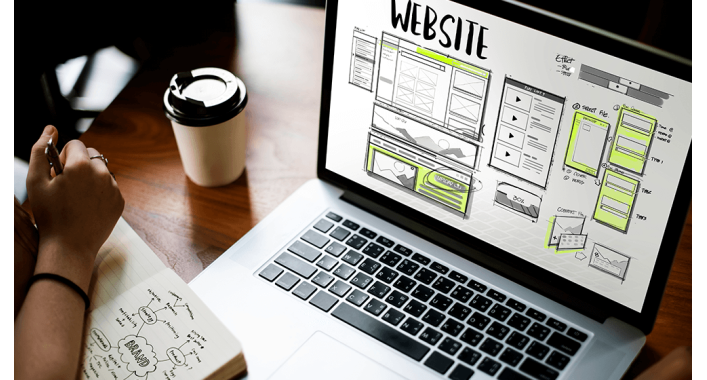
Even if your small business is not involved in electronic commerce or any online activity, it is still better to know best website building platforms for small businesses for numerous reasons. And if you actually intend to sell something or offer some services on the internet, building a website is a must.
You can do it yourself manually, pay professional services to do the job for you, or use an easy website builder for small business purposes. In this article, we will explain:
Why you need to have a website for your enterprise
Reasons to use a website builder for a small business
What website building is
Best way to build a small business website
How to find the best website builders for small businesses
After that, we will briefly introduce the top small business website builders to date and top web developers, describing their main pros and cons, special features and pricing plans. And at the end, we will answer some of the most frequently asked questions concerning web development for small business purposes.
Why Create a Website for Your Enterprise
Even if you only have a brick-and-mortar venue, a well-designed website will help you reach and target your potential clientele more effectively. Besides, most people prefer to shop and trade online, so an attractive and functional site will improve your customer service too. This way, you will significantly:
- Increase your sales
- Expand your presence on the relevant social media
- Enhance your public image
- Increase customer satisfaction
- Improve your marketing strategies
Also you have to look at a few of the best ecommerce web design agencies in the USA today.
How to Make a Website for a Small Business
Simply put, a website builder is the software that is used to create a website for small business and more site without having to learn programming languages or acquiring coding skills. Some builders have to be downloaded before you can use them; others can be operated online or even through a mobile app.
Typically, such a platform will provide you with lots of pre-built tools, themes, templates, add-ons, extensions and other features to assist you with the task. In addition, it will allow you to customise and personalise the final product, as well as integrate with other software you use in your business, and with external marketplaces too.
More advanced options include search engine optimisation, customer relationship management, social media marketing, web analytics and payment gateways. A website builder allows you to use all of its features in a drag-and-drop format, encoding the entered data into computer commands.
Advantages of Using Website Builders for Small Businesses
Of course, you can always create your website manually, especially if you know what you are doing, or pay professionals to do the work if you have funds to spare for their services. Or you can use a website builder instead so that you:
- Do not have to invest additional time, money and energy in acquiring the knowledge, skills and experience necessary to complete the task
- Focus on other organisational and managerial tasks and challenges
-
Structure, manage and modify your digital content to increase its chances on the online market
-
Have more functional and diverse online content to improve the structure, dynamics and marketing value of your online enterprise
-
Avoid unnecessary investments in the professional web development services
Selecting the Best Website Builder for Your Enterprise
To find a reliable platform that will best suit your business purposes, you will first need to clarify your business needs and assess your budget available for the purpose. And when you evaluate a platform, you should check that the builder:
-
Is easy to set up and operate, both on desktop and mobile apps development
-
Has clear and transparent terms and conditions, as well as a privacy policy
-
Receives reasonably good customer reviews on relevant sites
-
Uses advanced security technologies
-
Can integrate with other programs in your business
-
Provides reasonable customer support
-
And most importantly, facilitates your business operations
In the following sections, we will present the top small business website builders in order to facilitate your search for the one that best meets your specific requirements.
BigCommerce: Ideal for Startups
Designed specifically for electronic commerce, this builder is an excellent tool for creating websites without any programming or coding skills. BigCommerce provides lots of features and functions to develop a new online business, most of which are available on mobile
Benefits
There are no transaction fees for withdrawals or deposits via external payment systems.
BigCommerce is pretty easy to integrate with numerous online marketplaces.
It provides highly effective features for e-commerce purposes.
It allows trading in multiple currencies and using a variety of payment methods.
The platform is very easy to navigate.
Its interface is simple, attractive and user-friendly.
BigCommerce also offers lots of intelligent mobile apps, available on both Android and iOS devices.
Drawbacks
BigCommerce does not offer a free plan.
Its customisation features are relatively complicated and difficult to use.
The selection of free themes is quite limited.
Best Use
This builder is particularly suitable for small online retailers, especially in the fields of clothing and fashion, as well as for startups in the advertising and marketing sectors.
Expenses
Unfortunately, you cannot use any of that for free, as even the basic plan costs USD30 per month.
Duda: Ideal for a Web-Hosted Software Integration
This website builder is very popular for its simple and flexible features and a humongous selection of highly customisable pre-built templates. However, almost all of its functions are basic, with comparatively few advanced options on the menu, and most of them are only available in the top plans.
Benefits
Duda offers a competitive price list and does not charge any extra fees.
It provides highly professional and responsive customer support.
The builder has a very good drag-and-drop editor.
Its features are easy to customise, personalise and integrate.
Drawbacks
Its app development tools are limited and mediocre.
The selection of functions and features is limited at the basic level.
The application programming interface is only available for the Advanced Plan.
Best Use
Duda is perfectly suited for freelance web developers and design agencies, especially in the case of multiple website development for extensive business amalgamations.
Expenses
| Plan | Price (per month) |
| Basic | USD14 |
| Expanded | USD22 |
| Best Value | USD44 |
| Personalised | USD74 |
| VIP | By quote |
HostGator: Ideal for a Low Budget Enterprise

This platform provides multiple shared web hosting services, such as cloud computing, virtual private servers and managed hosting. Most of its features are simple, though, and you might have to complement them with external add-ons and extensions.
Benefits
It is considerably cheaper than its competitors.
Its customer support is continuous and highly responsive.
HostGator greatly facilitates online sales.
Diverse marketing tools, such as e-mail marketing and lead capture, are included in all pricing plans.
The builder provides a very user-friendly drag-and-drop editor.
The users can choose from a variety of high-quality and flexible design templates.
Hosting is automatically included in the price.
The platform has a huge library of built-in stock pics and photos.
Drawbacks
No free plan or trial is provided.
There are virtually no advanced features on the menu.
Best Use
HostGator works best for simple online enterprises on a tight budget, such as small online shops, blogging sites and personal projects.
Expenses
The Starter Plan costs only USD3.84 per month, and it includes a domain name and hosting. And if you are willing to pay USD9.22 per month, you will be able to use numerous extra features, such as:
-
Extensive e-mail marketing
-
Intelligent site builder
-
Appointment booking
-
Free digital protection technology
-
Unlimited commodities online store
HubSpot: Ideal for Inbound Marketing
Founded in 2006, HubSpot has become immensely popular for providing great tools designed to boost sales and enhance customer service. With these goals in mind, the company provides services and products to facilitate:
-
Content management
-
Customer relationship management
-
Lead generation
-
Live-chat customer support
-
Search engine optimisation
-
Social media marketing
-
Web analytics
Benefits
HubSpot offers free CMS.
Its drag-and-drop editor requires no coding.
The security level is very high.
Its comprehensive CRM software allows a business to have complete control of its sales and marketing processes, customer service and online content development.
Drawbacks
Its big and only significant disadvantage for small businesses is that most of its services are very expensive.
Best Use
HubSpot is a perfect website builder for small online businesses looking to grow, expand their markets and improve customer service.
Expenses
On Hubspot, hosting, content management software and lead generation are provided free of charge. Apart from that, it is actually quite an expensive platform, even though its services are definitely worth paying for. There are three pricing plans, namely:
Starter for USD45 per month
Professional for USD800 per month
Enterprise for USD3.6K per month
Shopify: Ideal for Beginners in Trade
This Canadian platform provides the best website builder and hosting for small businesses involved in electronic commerce. It offers an impressive variety of services that range from payment gateways and transcontinental deliveries to marketing strategies and customer relationship management. Shopify boasts almost two million customers in over 170 countries, and nearly half a million leading websites around the world use its services.
Benefits
This builder makes it easy for beginners to master the tricks of the trade in e-commerce.
It is very easy to install and operate, even without any programming skills.
Free hosting and digital security are included in all pricing plans.
The platform provides continuous access to highly professional customer support.
Drawbacks
The selection of themes and apps is limited.
It is relatively unsophisticated in personalisation, blogging and SEO.
Shopify does not offer a free plan.
Best Use
Shopify is probably the best platform for small online stores and POS networks, as well as for inexperienced e-commerce entrepreneurs, and its immense transnational popularity guarantees to enhance your marketing strategies. It is also a good choice if you would like to outsource various auxiliary aspects of your enterprise, such as shipping and payment transactions.
Expenses
Its service fees break down as follows:
| Plan | Monthly Costs |
| Basic | USD30 |
| Standard | USD80 |
| Advanced | USD300 |
Squarespace: Ideal for Small Commercial Sites

If you run a small online shop, you will find everything you need on this platform, including credit card transactions, customer tracking, web analytics and inventory management, to name a few. But what makes Squarespace one of the world's top website builders for small business purposes is its incredibly large selection of beautiful and easily customisable templates.
Benefits
All of its features are very easy to use.
The platform is incredibly versatile to suit a large variety of business purposes.
It is SEO-friendly and allows domain transfer too.
You can check also: Who is the best small business seo companies and how much does it cost.
Drawbacks
Customer support options are limited.
The drag-and-drop editor is a bit confusing.
Best Use
Squarespace is particularly favoured by designers, photographers and other small-scale freelance artists, but it will also work very well for online shops that seek to build aesthetically appealing websites.
Expenses
Currently, Squarespace offers four pricing plans:
Personal for USD16 per month
Business for USD23 per month
Basic Commerce for USD27 per month
Advanced Commerce for USD49 per month
Websitesimple: Ideal for Small Startups

If you are at the very beginning of your e-commerce career, Websitesimple will make it a lot easier for you to develop your online enterprise and target your potential clientele.
Benefits
Customer support is excellent.
Its coding is very simple yet incredibly effective.
Most of its features are reasonably priced.
Drawbacks
The biggest problem with Websitesimple is that its customisation features are very limited, especially for a large-scale enterprise.
Best Use
Websitesimple can be used to develop very diverse types of websites for all sorts of purposes, including commercial projects.
Expenses
| Plan | Price (per month) |
| Two-Week Trial | Free |
| Basic | USD14 |
| Business | USD29 |
| Advanced | USD49 |
Weebly: Ideal for Low-Budget Startups
Weebly is an excellent tool for any inexperienced entrepreneur, freelance artist or a blogger with minimal or no coding skills. However, its main focus is on creating visually appealing sites.
Benefits
It is fairly cheap at the basic level
Its features take little time to master.
It provides plenty of templates, themes and apps.
Live-chat support is available day and night.
Drawbacks
It is not very good for SEO.
E-commerce features are a bit expensive.
Best Use
Weebly is a perfect solution for physical venues that want to build very simple, cheap yet attractive websites for self-advertising purposes. It is also a good platform for new online businesses that seek to grow and expand.
Expenses
There is a Free Plan for non-commercial features. Other plans range from USD9 to USD29 per month, but the domain name will be free, and there will be significant discounts on upfront annual payments.
Wix: Ideal for Free Web Development

With a Free Plan for simple website building and pricey advanced features, Wix is guaranteed to please everyone, making it one of the most popular website builders for small businesses in the world. Its applications can be used for very different purposes, including social media and online marketing, community forums and e-commerce.
Benefits
Wix provides hundreds of apps and nearly 1,000 templates.
It is very easy to set up, use and navigate.
No special knowledge, skills or experience are required.
Drawbacks
E-commerce features are comparatively expensive.
Pages take time to upload.
Best Use
Wix seems to be a great choice for virtually all purposes, but it is most favoured by small online startups that seek an inexpensive tool to develop a very attractive and functional website.
Expenses
Wix Pricing Plans start from as little as a couple of dollars per month and build up to USD23 per month for a VIP package.
WordPress: Ideal for Complete Control
Probably the most popular website builder of all, WordPress is user-friendly for both beginners and experienced traders and is also very good for SEO purposes.
You can check also: Who is the best wordpress web developers and how much does it cost.
Benefits
WordPress offers one of the largest selections of themes, functions and add-ons.
The builder is very easy to use and integrate.
All of its features are highly customisable.
No particular programming skills are required.
The platform provides continuous and convenient access to multilingual customer support.
Drawbacks
Advanced features are difficult to use.
The software has to be updated regularly.
Its digital security does not compare well with other platforms.
Many features are quite expensive.
Best Use
WordPress is extremely versatile, which makes it suitable for virtually all types and sizes of online enterprises.
Expenses
The pricing breaks down as follows:
| Installation | Free |
| Domain Name (per year) | Up to USD15 |
| Hosting (per month) | USD4-8 |
| Features and themes | Variable prices |
| General maintenance (per month) | USD10-40 |
Frequently Asked Questions

Is it possible to create a website for a small business for free?
Yes, it is. Actually, many of the best website platforms for small businesses do not charge at the basic level. Still, you will have to pay for additional services and features, such as hosting and add-ons and templates.
Besides, your site will not look very professional because you will have to use somebody else's domain name. And the site will be bombarded with never-ending traffic of external ads as well. Therefore, this is only an option if you have neither the required funds nor time to raise them.
Which small business website builders are the best?
WordPress and Wix are the most popular platforms to date. Wix is the best option for attractive templates, and it is also the easiest platform to use. And if you are looking for an uncomplicated and cheap builder with lots of features and tools, such as drag-and-drop editors, extensions and pre-built themes, you should definitely go for Squarespace or Weebly.
How much will I have to pay for the best small business website builder and hosting?
You can actually build it for free if you do not need a domain name and can live with lots of ads. Or, create the site yourself, using free WordPress themes, purchase a domain name for USD15 per year and pay up to USD10 per month for budget hosting.
Otherwise, your total expenses will depend on what kind of business it is, how much work has to be done to create a website for it and the quality of work you expect from the developer. On average, prepare to pay around USD200-300 at the start and then spend up to $50 per month on general maintenance.
Which website builders are the least difficult to operate?
Wix is probably the easiest platform to start from. It has an exceptionally simple and user-friendly interface, and it is very convenient to navigate as well. In addition, you can use it to create a site from start to finish, all without any particular coding or programming skills.
Which online website builder is best for a small business in electronic commerce?
Shopify and WordPress are currently the most successful and popular platforms for e-commerce purposes. Both offer impressively large selections of tools and features, and are free to install; both are equally suitable for beginners and seasoned traders; and both have a large enough international clientele to provide you with a wide and active exposure to your target audience all over the world.





It's free and takes 2 minutes. There are 1500+ digital agencies in the catalog that are ready to help in the implementation of your tasks. Choose and save up to 30% on time and budget!