
How do highlighters work on Instagram?
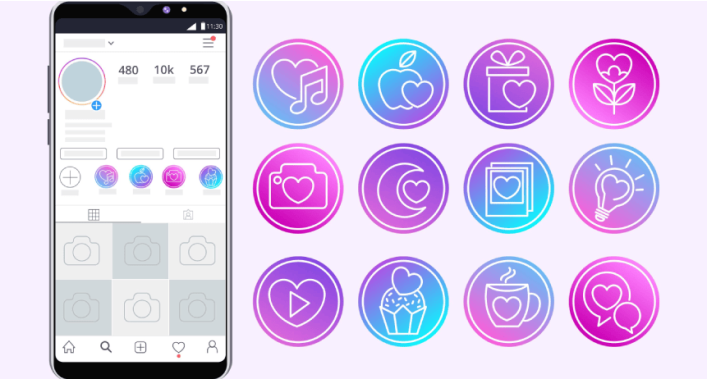
How do highlights work on Instagram? Reinforcing the theory
Highlights are stories that can be saved for more than 24 hours. After taking down a story, it is immediately saved in the user’s profile. It can be found above the user’s photos and can be easily viewed.
What can highlights be used for?
Like regular stories, highlights are used for the following purposes:
- demonstration of goods (services) for online stores;
- archive of other stories or photographs;
- instructions-actions;
- portfolio
How to change a special story?
Just like a regular story, a special story can also be edited. Changes can be either cosmetic (changing the cover and name of the highlight) or internal (adding text inserts, filters, etc.).
The cover for the story is selected automatically. The user is able to choose the cover for his highlight. To do this, click on “Edit cover” and select a cover from another story.
And text inserts can be inserted as follows. To do this, you just need to click on the “A” button in the upper right corner, which allows you to insert text. The text can be framed in a colored frame. In the highlight you can insert links to other Instagram accounts, draw and use other functionality.
Highlight cover design development
I design the cover for the highlights depending on the theme, usually light pictograms. You can draw some icons yourself. Here are a few basic rules:
- The cover size for highlights, as for Instagram stories, is 600 x 750 pixels (maximum 1936 x 1936 pixels);
- The ideal aspect ratio is 4:5;
- I usually use medium size (720 x 1280 px).
To develop a cover for the highlight, create an image measuring 720 x 1280 pixels. Next, I take the main color of the account, for example, red, and make a fill layer with this color. I place a circle of the same color exactly in the middle of the layer, only with a thin stroke line. It is in this circle that the pictogram will be placed.
Next, I start looking for the icons themselves on the desired topic, for example, pictograms for the Khinkalnya restaurant chain. If I find the icons I need, I further process them in Photoshop to achieve the desired result.
The circle in which the image is placed will be displayed on the account page. But the image needs to be downloaded completely.
It happens that I don’t find suitable icons for an account. Then the hands go into battle (it’s good that you have a talent for drawing J).
I draw these kinds of pictograms in Illustrator, in good quality and resolution.
And further by analogy.
In the end, why are highlights needed?
Highlights are a convenient tool for promoting your products or providing services. You can also use highlights to tell and show everyone an interesting story.
Unlike regular stories, highlights have more specialized uses. But at the same time, due to the convenience of the story mechanism itself, highlights can be seen in the accounts of most online stores or people providing their services in a certain area.
Highlight is a new feature that can be considered a success. And highlights justify their appearance by more than 100%.




It's free and takes 2 minutes. There are 1500+ digital agencies in the catalog that are ready to help in the implementation of your tasks. Choose and save up to 30% on time and budget!